Migration guide ·
remove.bg is closing on 1 December 2026: the alternative that keeps your batches on your own computer
If you used remove.bg on batches of photos, AwaCut does the same job on your computer: drop the folder, pick transparent, white or a colour, and every photo comes back at full size. $29 a year for as many photos as you want, no credits, nothing uploaded.
2 computers per licence. Full refund within 14 days, no reason needed.
remove.bg closes on 1 December 2026 at 9:00 CET, and unused credits expire that day. Everything that changes, with remove.bg's own sources: What happens on 1 December 2026
- Works offline
- No account, no uploads
- As many photos as you want, all year
Listed onAlternativeToMicrosoft Store
Your remove.bg batch, in AwaCut
The job you sent to remove.bg, done on your own computer. These clips are the real app.
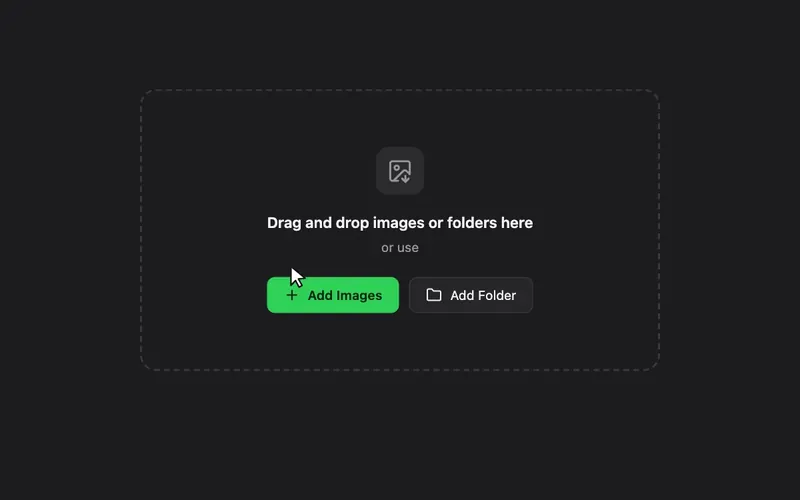
1. Drag in a photo or a whole folder
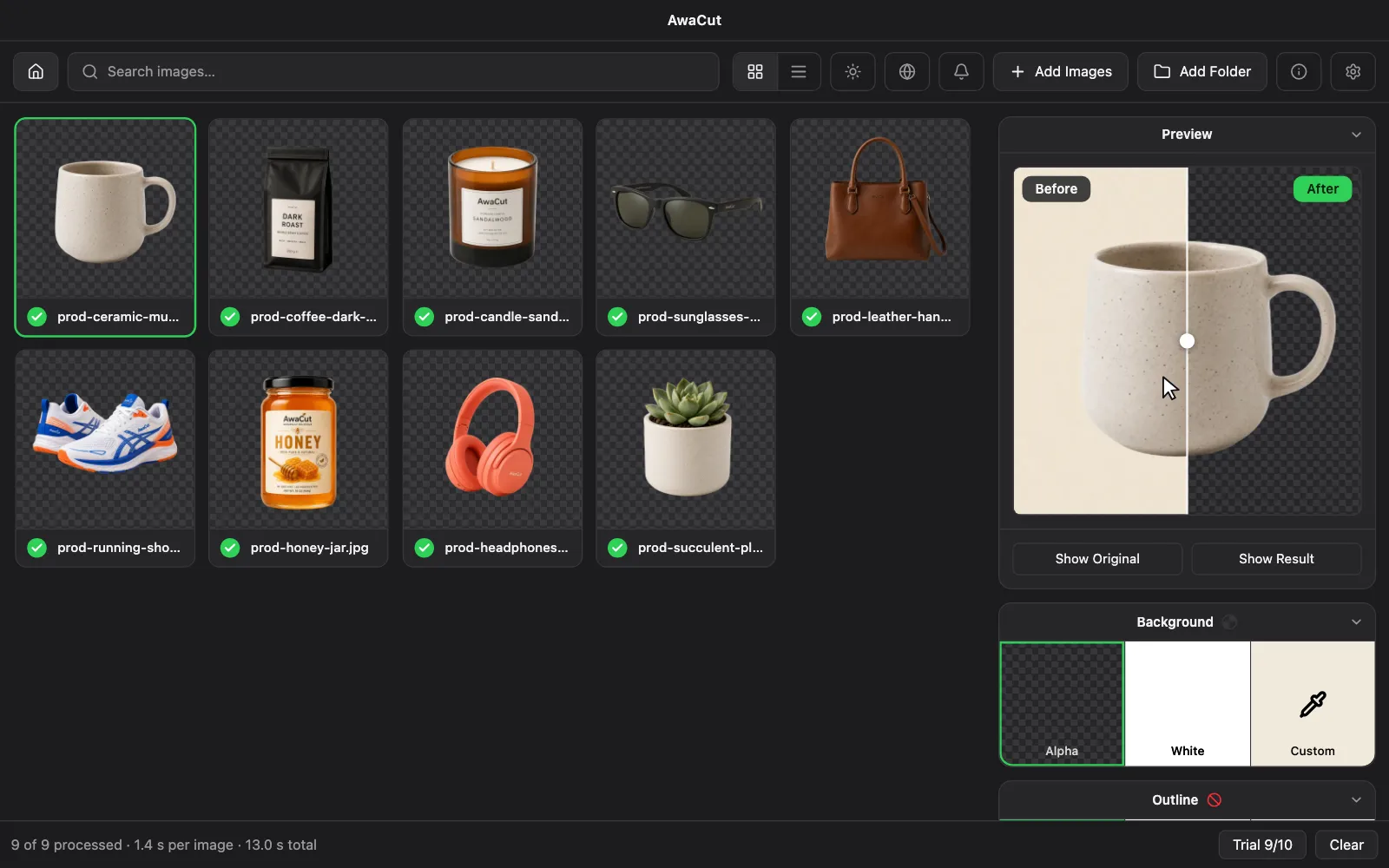
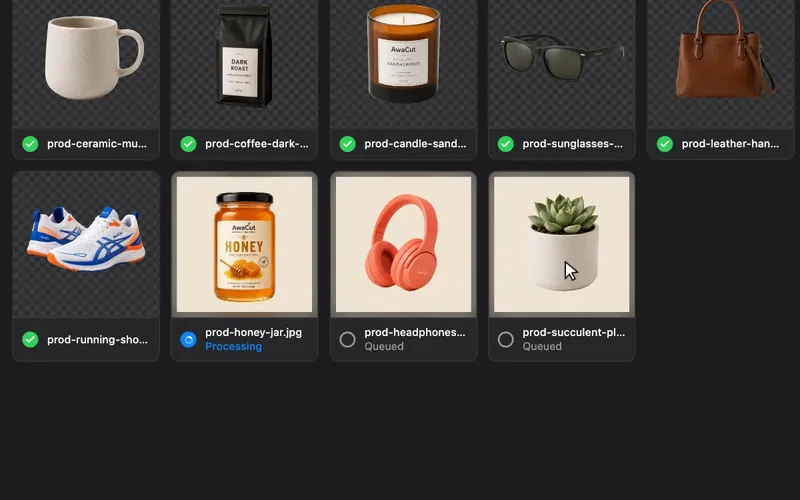
Hundreds of photos queue at once: JPG, PNG, WebP and TIFF, plus iPhone HEIC on Mac.
2. Make every background transparent
AwaCut does it on its own, on your computer: about 4 seconds per phone photo on a Mac Studio (M4 Max). Nothing is uploaded.
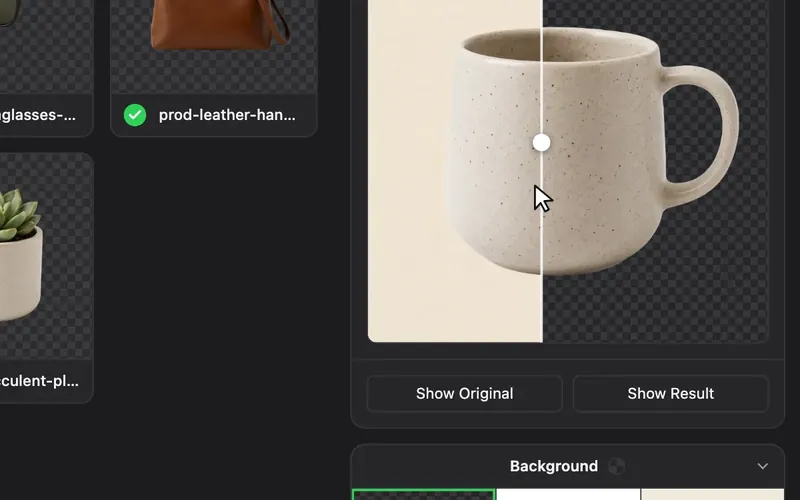
3. Export as transparent PNG or on white
Pick Alpha (transparent), White or Custom for any colour, and add a sticker outline if you want. Every cutout is saved at full resolution to the folder you choose, as soon as it is ready.
What your remove.bg volume costs on AwaCut
remove.bg's cheapest published plan for each volume, against one flat licence for any number of photos.
100 photos a month
remove.bg
€399
AwaCut
$29
a year
500 photos a month
remove.bg
€961
AwaCut
$29
a year
1,000 photos a month
remove.bg
€2,041
AwaCut
$29
a year
remove.bg prices as its pricing page showed them from the EU on 8 September 2026, cheapest plan for each volume. The full table for 29 tools is further down.
2 computers per licence. Full refund within 14 days, no reason needed.
Used remove.bg Desktop?
remove.bg's own FAQ sends desktop users to Canva's web app. If what you want is the folder-based workflow, not a design platform, AwaCut keeps it on Windows, macOS and Linux: drop a folder, get transparent PNGs, processed on your own computer, with no upload and no per-image credits.
remove.bg's FAQ answers the desktop question with "Canva's bulk background removal covers it." Canva's own Help Center sets the limits: folders with more than 50 images can't use Background Remover, photos over 10 megapixels come back at 10 megapixels, and it needs a paid plan and an internet connection.
| remove.bg Desktop | Canva, from 1 December | AwaCut | |
|---|---|---|---|
| Runs on | Windows · macOS · Linux | Windows · macOS | Windows · macOS · Linux |
| Drag and drop folders | Yes | No | Yes |
| Images per run | Unlimited | 50 per folder, one folder at a time | A whole folder |
| Largest output | Up to 50 MP | 10 MP (larger photos are downscaled) | Original size |
| Transparent PNG output | Yes | Yes | Yes |
| Background removal runs locally | No | No | Yes |
| Internet required to process | Yes | Yes | No |
| Per-image credits | Yes | Paid plan required | No |
remove.bg Desktop as its own product page describes it (drag and drop unlimited files in bulk, transparent or coloured output, an API key to run), read on 8 September 2026: remove.bg. Canva as its Help Center describes Background Remover, read in October 2026: Canva.
Real cutouts, straight out of AwaCut
Sample photos processed with the exact model that ships in the app. No retouching, no cherry-picking.

Portraits 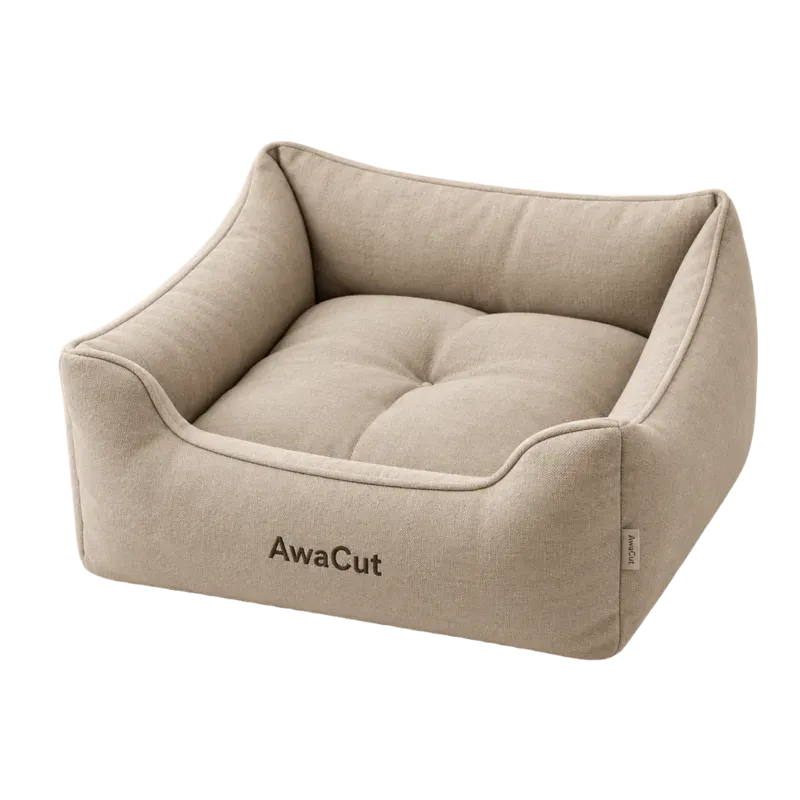
Products 
Pets 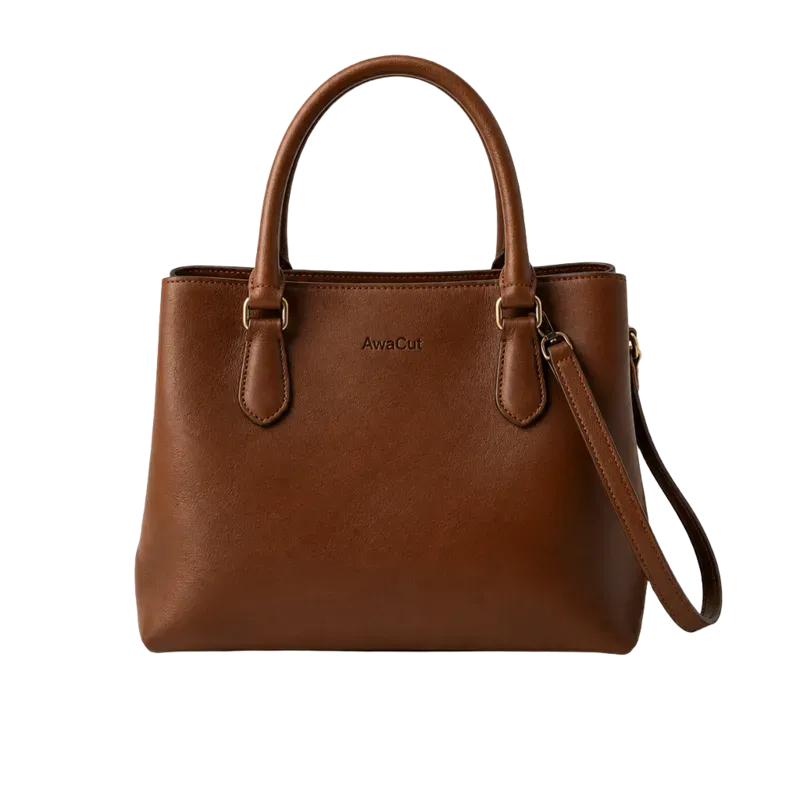
Bags 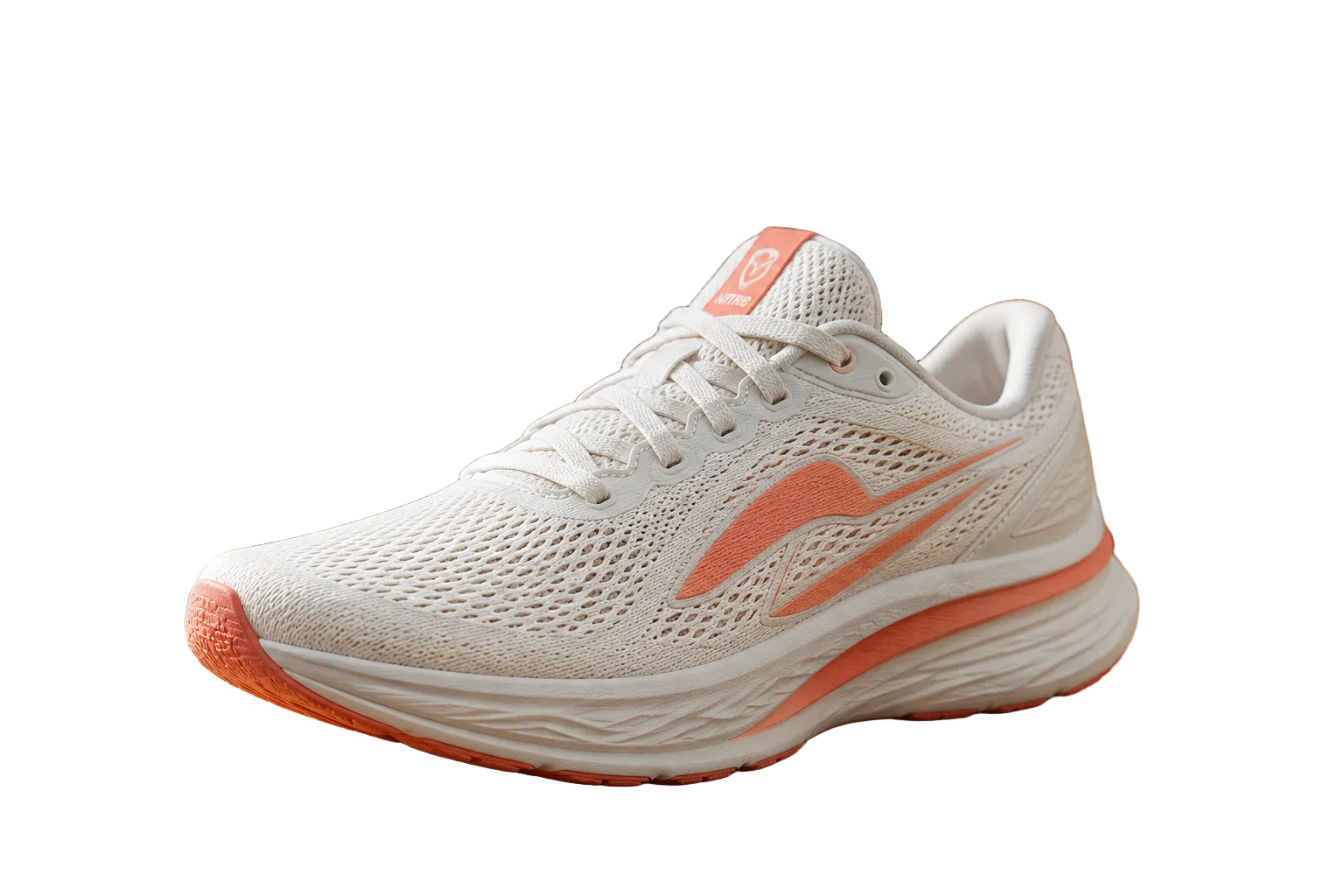
Shoes 
Clothing 
Logos 
Electronics
What happens on 1 December 2026
remove.bg states on its own site that its standalone service closes on 1 December 2026 at 9:00 CET and folds into Canva. Unused pay-as-you-go credits expire that day. Monthly and annual subscriptions end automatically, annual plans with a pro-rata refund. The self-service API moves to Leonardo.Ai; existing Enterprise API contracts continue. This page answers what to do before that date and which alternative fits the way you used remove.bg.
Source: remove.bg's own announcement and FAQ, read on 8 September 2026: remove.bg/faq · remove.bg/pricing. This page is maintained by AwaCut, one of the alternatives listed below. Facts about remove.bg are quoted from its own pages, dated; the alternatives are sorted by workflow, and where Canva's own tool is the better fit, the page says so.
- The website
- From 1 December 2026 at 9:00 CET the remove.bg website and accounts stop being accessible. remove.bg became part of Canva in 2021 and is being folded into the Canva platform.
- Pay-as-you-go credits
- Any unused pay-as-you-go credits expire on 1 December 2026. remove.bg recommends using them before the migration date.
- Subscriptions
- Monthly and annual subscriptions keep working until 1 December 2026 at 9:00 CET, then end automatically with no further charge. Annual plans with unused time get a pro-rata refund to the original payment method, without any action. Any monthly renewal on or after 1 November is free.
- The API
- The self-service API stops accepting requests on 1 December 2026. remove.bg's background-removal API continues through Leonardo.Ai, also part of Canva, with new accounts and a migration guide. Existing Enterprise API contracts are not affected.
- Desktop app, plugins
- The Windows, Mac and Linux app and the Photoshop extension depend on the service and end with it. remove.bg's FAQ points desktop users to Canva's bulk background removal in the web app or the Canva desktop app.
- Your account data
- Account data stays accessible until 1 December 2026. After that, credit usage reports and invoices can no longer be downloaded.
Before 1 December 2026: a checklist
- 1.
Use your pay-as-you-go credits; they expire on 1 December 2026 and are not refunded.
- 2.
Download your invoices and the credit usage report from your remove.bg account page. They are gone after the shutdown.
- 3.
Decide what to do with your subscription: let it end automatically on 1 December 2026 (annual plans are refunded pro-rata) or cancel earlier from the dashboard.
- 4.
If you use the API, plan the migration to Leonardo.Ai or another API now: new account, new key, new endpoint, and a test run before the deadline.
- 5.
Pick a replacement for the way you actually used remove.bg: single images, batches on a desktop, an API, a phone. The table below sorts the alternatives by that.
Which alternative, by how you used remove.bg
There is no single replacement, because remove.bg was three products: a one-click web tool, a desktop app with a Photoshop extension, and an API. The honest answer depends on which one you used.
| You used remove.bg for | Closest replacement | Why |
|---|---|---|
| Single images, now and then | Canva Background Remover (official), Erase.bg, Pixelcut | Canva uses the same background-removal technology as remove.bg, by remove.bg's own account. Erase.bg and Pixelcut are free to try with small limits. |
| Batches of product photos on a desktop, the Windows/Mac/Linux app, the Photoshop extension | AwaCut (ours), Slazzer desktop app | AwaCut takes a folder and returns transparent PNGs on your own computer, offline, with no upload and no credits, for a flat yearly licence. Slazzer's desktop app does the same on credits. |
| The API, integrations, automation | Leonardo.Ai (official successor), Slazzer API, Erase.bg API, Pixelcut API | Leonardo.Ai carries remove.bg's own model and a migration guide. The others are drop-in credit APIs with published per-image prices. AwaCut has no API. |
| On a phone | Photoroom, Pixelcut, Canva app | Mobile-first suites with batch modes on subscription. AwaCut runs on desktops only. |
| Free, occasional use | Erase.bg free credits, rembg (open source) | Erase.bg gives free credits on sign-up; rembg is an open-source background-removal tool for anyone comfortable with Python or the command line. Canva's Background Remover is on paid plans only (Canva Help Center, October 2026). |
What a year on each alternative costs
Yearly cost of processing 100, 500 and 1,000 images a month on each tool's cheapest published plan, from the Background Removal Pricing Index: every vendor's own pricing page, read on the date shown, discounts applied in the vendor's favor. Published prices are never converted; the italic equivalents are there only to make the columns comparable.
| Tool (images per month) | 100 | 500 | 1,000 | Verified |
|---|---|---|---|---|
| Slazzer | €140≈ $163 | €1,102≈ $1,280 | €1,198≈ $1,391 | 2026-09-08 |
| remove.bg | €399≈ $463 | €961≈ $1,116 | €2,041≈ $2,371 | 2026-09-08 |
| Icons8 | $90≈ €77 | $990≈ €852 | $990≈ €852 | 2026-09-09 |
| Removal.ai | $312≈ €269 | $768≈ €661 | $1,451≈ €1,249 | 2026-09-09 |
| PixCut | $228≈ €196 | $552≈ €475 | $1,080≈ €930 | 2026-09-09 |
| Evoto | €125≈ $145 | €373*≈ $434 | €747*≈ $867 | 2026-09-09 |
| Cutout.pro | $119≈ €102 | $348≈ €300 | $588≈ €506 | 2026-10-14 |
| Adobe Photoshop | €290≈ $337 | €290≈ $337 | €290≈ $337 | 2026-09-08 |
| Clipdrop | €180≈ $209 | €180≈ $209 | €180≈ $209 | 2026-09-09 |
| Media.io | $96≈ €83 | $168≈ €145 | not published | 2026-09-09 |
| Fotor | $40≈ €34 | $134≈ €116 | $134≈ €116 | 2026-09-09 |
| BRIA AI | $22≈ €19 | $108≈ €93 | $216≈ €186 | 2026-09-09 |
| Canva | RON 480≈ €91 · $106 | RON 480≈ €91 · $106 | RON 480≈ €91 · $106 | 2026-09-09 |
| VanceAI | $100≈ €86 | $100≈ €86 | $100≈ €86 | 2026-09-09 |
| Erase.bg | €28≈ $33 | €85≈ $99 | €171≈ $198 | 2026-09-08 |
| Picsart | €84≈ $98 | €84≈ $98 | €630≈ $731 | 2026-09-09 |
| Pixelcut | $96≈ €83 | $96≈ €83 | $96≈ €83 | 2026-09-08 |
| Pixlr | $96≈ €83 | $96≈ €83 | $96≈ €83 | 2026-09-09 |
| insMind | $70≈ €60 | $70≈ €60 | $300≈ €258 | 2026-09-09 |
| Photoroom | RON 180≈ €34 · $40 | RON 180≈ €34 · $40 | RON 180≈ €34 · $40 | 2026-09-08 |
| AwaCut | $29 | $29 | $29 | 2026-09-08 |
| rembg | $0≈ €0 | $0≈ €0 | $0≈ €0 | 2026-09-09 |
| GIMP | $0≈ €0 | $0≈ €0 | $0≈ €0 | 2026-09-09 |
| Photopea | $0≈ €0 | $0≈ €0 | $0≈ €0 | 2026-09-09 |
| Leonardo.Ai | not published | not published | not published | 2026-09-09 |
| Claid.ai | not published | not published | not published | 2026-09-09 |
| Adobe Express | €145≈ $168 | not published | not published | 2026-09-09 |
| Microsoft Designer | not published | not published | not published | 2026-09-09 |
| Hostinger | not published | not published | not published | 2026-09-09 |
Prices as each page showed them from the EU; remove.bg's are valid until it closes. * Above the vendor's largest published tier: extended at that tier's per-image rate, in the vendor's favor.
Figures in italics are equivalents at the European Central Bank reference rates of 2026-09-08 (1 EUR = 1.1614 USD = 5.25 RON), shown for comparison only; the published price in the vendor's own currency is the authoritative figure. Source: ECB.
What AwaCut replaces from remove.bg
The desktop workflow: a folder of product photos in, transparent PNGs out, on Windows, macOS or Linux, with no upload, no per-image credit and no monthly cap. Bulk editing that used to cost one credit per image on remove.bg costs nothing extra on AwaCut: one licence, $29 a year, as many images as you want.
What it does not replace
The API and integrations (use Leonardo.Ai or another API), the Photoshop extension (AwaCut is a standalone app), phone apps, and the one-click web tool for a single image, where Canva (on a paid plan) or a free web tool is the simpler choice.
AwaCut vs remove.bg →See all 12 tools compared on price, privacy and offline use →
Frequently asked questions
Is remove.bg shutting down?
Yes. remove.bg states on its own site that the standalone website and accounts stop being available on 1 December 2026 at 9:00 CET. Its background removal continues inside Canva, and its API continues through Leonardo.Ai. Enterprise API contracts are not affected.
Is there an alternative to remove.bg?
remove.bg's own answer is Canva's Background Remover, which it says uses the same technology. That fits if you work in a browser on a handful of images at a time. It does not cover dragging a folder of 500 photos off your own disk. The table above sorts the alternatives by workflow, so you can pick on how you actually work rather than on a single name.
What replaces the remove.bg desktop app and the Photoshop extension?
remove.bg's own answer is Canva's bulk background removal, in the web app or the Canva desktop app, 50 images per folder. For the Photoshop extension it points to Affinity, whose background removal needs Canva Pro. For a desktop app that processes whole folders offline without credits, AwaCut (which we make) is the closest match; Slazzer also has a desktop app on credits.
How can I remove backgrounds in bulk moving forward?
remove.bg points to Canva's bulk background removal, and to Leonardo.Ai's API for larger volumes. Both upload your images and both meter them. AwaCut, which we make, takes a whole folder and processes it on your own computer for a flat $29 a year, with no per-image credit. Slazzer and Erase.bg sell credit packs if you would rather stay on credits.
What is the cheapest remove.bg alternative for bulk photos?
It depends on volume. Under about 170 images a month, credit packs such as Erase.bg's are cheapest. Above that, a flat licence wins: AwaCut costs $29 a year for unlimited images on a desktop, where 500 images a month cost hundreds of euros a year on credits. The table above shows the computed figures.
What happens to my remove.bg credits?
Unused pay-as-you-go credits expire on 1 December 2026 and are not refunded. Subscription credits have always been valid only within the subscription month. Use them before the date.
Will I get a refund for my subscription?
Annual subscriptions with unused time beyond 1 December 2026 are refunded pro-rata to the original payment method, automatically. Monthly subscriptions end after that date with no further charge, and any monthly renewal on or after 1 November is free.
What happens to my remove.bg account data?
remove.bg says accounts stay accessible until 1 December 2026 at 9:00 CET and not after. Export your credit usage report and your invoices from your Account page before that date. remove.bg states they cannot be downloaded afterwards, and you may still need the invoices for your accounting.
What replaces the remove.bg API?
Leonardo.Ai, also part of Canva, offers remove.bg's background-removal API among its APIs, with a migration guide for self-service users. Slazzer, Erase.bg and Pixelcut publish per-image API pricing too.
Is Canva's background remover the same as remove.bg?
According to remove.bg, yes: Canva's Background Remover uses the same technology, inside the Canva editor, with bulk removal available. What changes is the product around it: a design platform instead of a single-purpose tool, and Canva's plans instead of remove.bg credits.
Can I still use remove.bg after 1 December 2026?
Not as a standalone service. From 1 December 2026 at 9:00 CET the website, the accounts, the self-service API, the desktop app and the plugins stop working, according to remove.bg. The same background-removal technology continues inside Canva, and the API inside Leonardo.Ai, each with its own account and pricing.
Does AwaCut use the internet to remove backgrounds?
No. The segmentation model ships inside the app and runs on your computer, so the photos never leave it and no connection is needed to process a folder. You need a connection to download the app and to activate the licence.
Move the batch work to your own computer
Try AwaCut free on a folder of your own photos. If it does the job remove.bg did for you, one licence covers a year of unlimited images.
macOS
macOS 13.4+ (Apple silicon)
v1.0.6 · 194 MB
macOSBackground remover for MacWindows
Windows 10 or 11 (64-bit)
v1.0.6 · 180 MB
WindowsBackground remover for WindowsLinux
AppImage (x86-64)
v1.0.6 · 268 MB
LinuxBackground remover for Linux
Signed by AYA MIM S.R.L. If Windows still shows "Windows protected your PC", click More info, then Run anyway.
No AwaCut account. No credits. No uploads. 2 computers per licence, full refund within 14 days.