Offline background remover
An offline background remover for whole folders of photos
AwaCut removes backgrounds on your own computer, with no internet. The AI model is inside the app, so no photo is ever uploaded. Mac, Windows and Linux, no graphics card needed. 10 photos free, then $29 a year for as many photos as you want.
- Works offline
- No account, no uploads
- Unlimited photos, flat price
Listed onAlternativeToMicrosoft Store
Download it once
Download AwaCut for Mac, Windows or Linux. The installer includes the AI model, so there is nothing else to download later.
Activate once
The 10 free photos need no account. A licence key is activated online once; after that, removing backgrounds needs no connection.
Work with no connection
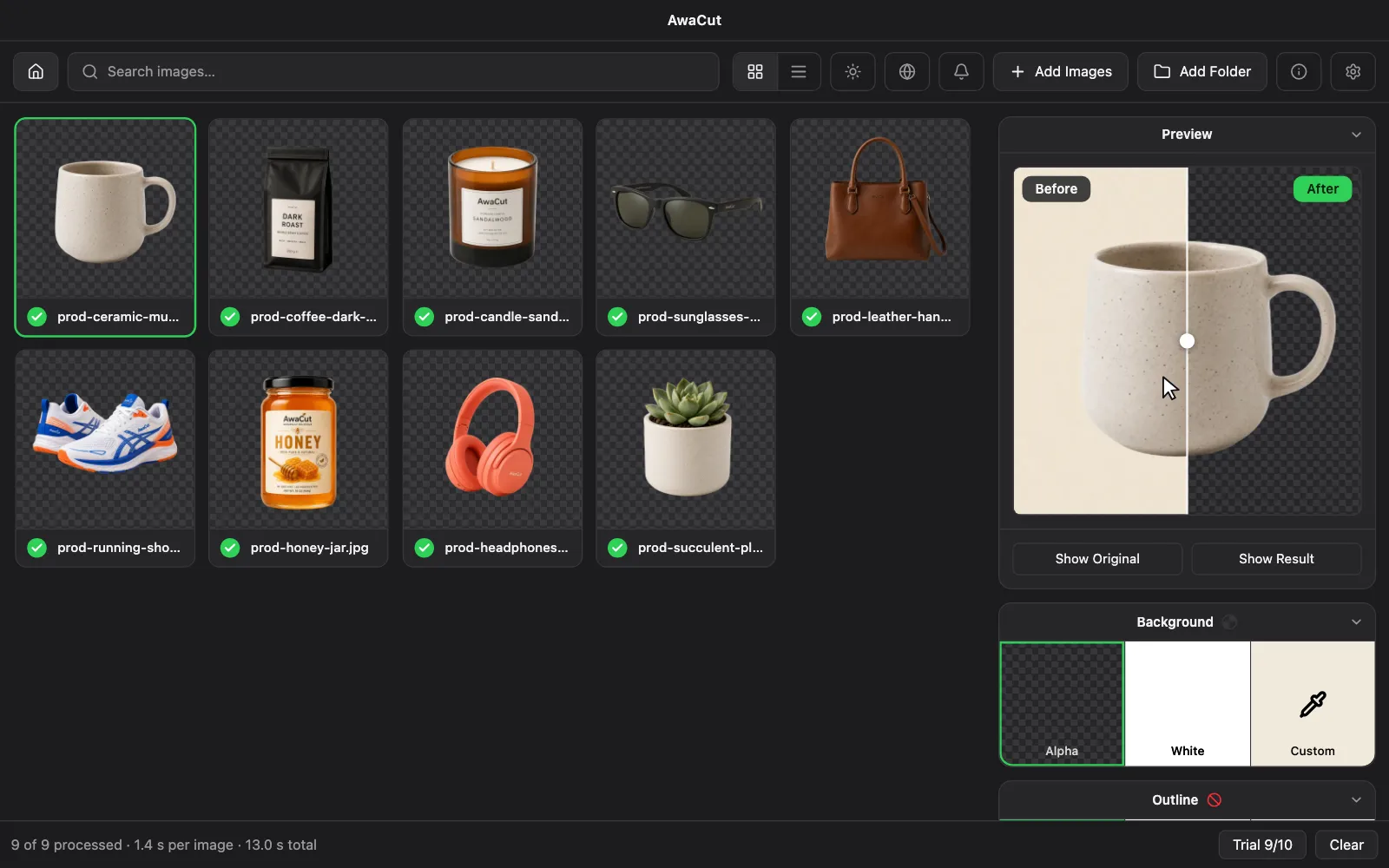
On a plane, in a studio or on a client's network: drop a folder, pick Alpha, White or any colour, and export. Nothing leaves the computer.
An online remover and AwaCut, side by side
Internet
- Online background remover
- Needed for every photo
- AwaCut, offline
- Not needed to remove a background
Where the photos go
- Online background remover
- Uploaded to a server
- AwaCut, offline
- They stay on your computer
Price
- Online background remover
- Often credits per image or a monthly plan
- AwaCut, offline
- $29 a year, as many photos as you want
Whole folders
- Online background remover
- Depends on the plan
- AwaCut, offline
- Drop a folder of any size
| What matters | Online background remover | AwaCut, offline |
|---|---|---|
| Internet | Needed for every photo | Not needed to remove a background |
| Where the photos go | Uploaded to a server | They stay on your computer |
| Price | Often credits per image or a monthly plan | $29 a year, as many photos as you want |
| Whole folders | Depends on the plan | Drop a folder of any size |
Three things to check before you trust an offline remover
A web page that still uploads
Some web tools call themselves local but send each photo to a server. Turn off Wi-Fi and try one photo: a truly offline tool keeps working.
A model that downloads on first use
Some apps fetch the AI model the first time they run, so the first use needs a connection anyway. AwaCut's model is in the installer.
A licence that locks when offline
Check what happens when the licence cannot be checked. AwaCut keeps working on an activated computer and simply checks again later.
Why remove backgrounds locally
Client photos, products before a launch, ID and passport photos: some pictures should not go to someone else's server. Offline also means no upload time, so a folder of 500 phone photos takes about half an hour on a Mac Studio (M4 Max), wherever you are.
Frequently asked questions
Can I remove backgrounds offline?
Yes. AwaCut runs the AI model on your own computer, so removing backgrounds and exporting work with no internet connection.
Does AwaCut need the internet at all?
Not to remove backgrounds. It is used to activate the licence once, to recheck it about every 30 days, to look for updates and news, and to send a few anonymous usage signals, never images or file names. If you are offline when a check is due, AwaCut keeps working.
Does it need a graphics card?
No. It runs on the processor. A faster processor finishes a folder sooner.
Which systems does it run on?
A Mac with Apple silicon (macOS 13.4 or newer), Windows 10 and 11, and 64-bit Linux. One licence covers 2 computers, in any mix.
Is it free?
The first 10 photos are free, at full resolution, with no watermark and no account. After that AwaCut is $29 a year, flat, for as many photos as you want. If it is not for you, ask for a refund within 14 days, wherever you are.
Try it without a connection
Download AwaCut, turn off Wi-Fi and cut out 10 photos for free, at full resolution.
macOS
macOS 13.4+ (Apple Silicon)
v1.0.6 · 194 MB
macOSBackground remover for MacWindows
Windows 10+
v1.0.6 · 180 MB
WindowsBackground remover for WindowsLinux
AppImage (x86-64)
v1.0.6 · 268 MB
LinuxBackground remover for Linux
Signed by AYA MIM S.R.L. If Windows still shows "Windows protected your PC", click More info, then Run anyway.
No AwaCut account. No credits. No uploads.