AI background remover
An AI background remover that runs on your own computer
AwaCut is an AI background remover that runs on your computer instead of on a server. The AI model, BiRefNet, ships inside the app: it finds the subject in each photo, hair and fine edges included, and cuts it out while the photo stays on your machine. Drop a whole folder and it works through every image, at the original resolution, with no uploads and no per-image credits.
- Runs offline, on your computer
- Unlimited images, no credits
- No AwaCut account. No credits. No uploads.
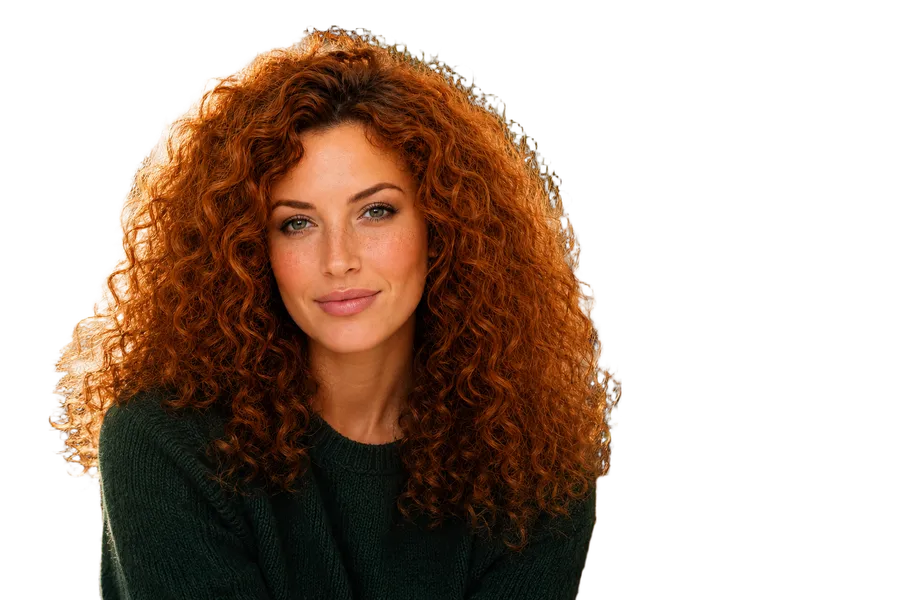

1. Add a folder of photos
Drop a folder, or a few images, into AwaCut. The AI model is already on your computer, inside the app, so nothing is downloaded or uploaded and no internet connection is needed to process the photos.
2. Let the AI find the subject
For each photo the model looks at a 1,024 × 1,024 version of the image and works out, pixel by pixel, what is subject and what is background. That mask is then applied to your full-size photo, so the cutout keeps the original width and height.
3. Pick the background and export
Choose Alpha for a transparent PNG, White, or any custom colour, compare before and after with the slider, and export the whole batch to a folder.
Where the AI actually runs
| Kind of tool | Where the AI runs | What each image costs |
|---|---|---|
| Online AI background removers | On the provider's servers: your photo is uploaded | Usually a credit or a plan per full-size image |
| Phone and web editor apps | It depends on the app; many send the photo to their servers | Often a subscription, with export limits |
| AwaCut | On your computer's processor; the photo never leaves it | Included, unlimited, for $29 per year |
Online tools differ and change their plans; check the current terms of the tool you use.
Three things to know before you trust any AI background remover
Assuming “AI” means private
Most AI background removers run the model on their own servers, which means every photo is uploaded first. If the photos are unreleased products, client work or people, check where the model runs, not just what it is called.
Judging the AI by a preview
A small preview hides what the AI got wrong. Look at the edges at full size: hair, fur, glass and thin straps are where cutouts fail first.
Expecting the AI to fix the photo
A background remover separates the subject from the background; it does not sharpen, relight or enlarge. A blurry photo gives a blurry cutout, so start from the sharpest original you have.
Why run the AI on your own computer
When the model runs locally, your photos are never uploaded, there is no queue and no per-image price, and a folder of 500 images costs the same as one. The trade-off is that speed depends on your machine: about 3 seconds per image on an Apple Silicon Mac, longer on older computers.
Which AI model does AwaCut use?
BiRefNet (the general-lite version), an open segmentation model published under the MIT licence. AwaCut bundles it and runs it with ONNX Runtime, so the model is part of the app you install.
Does the AI need a graphics card or an internet connection?
Neither. AwaCut runs the model on your computer's processor, using all of its cores, and processes photos offline. It only goes online now and then to check your licence and look for updates.
Are my photos used to train the AI?
No. Your photos never leave your computer, so they cannot be collected, stored or used for training.
How well does the AI handle hair, fur and glass?
Fine edges such as hair and fur are where BiRefNet is strongest. Frosted and semi-transparent glass works well; fully transparent areas keep whatever was behind them, as with any tool. The free trial is the best test: run it on your most difficult photo.
Is AwaCut's AI background remover free?
The first 10 images are free, at full resolution, with no account. After that a licence costs $29 a year for unlimited images on up to 2 devices.
Try the AI on your own photos
Download AwaCut, run your 10 free images through the AI and check the edges at full size.
No AwaCut account. No credits. No uploads.