Profile picture guides
Profile picture size and background for every network
Every network shows your profile picture as a circle, small. So the same three things work everywhere: a square photo of at least 1080 × 1080 px, your face filling most of it, and a plain background in a colour that contrasts with you. Only LinkedIn, X, TikTok and YouTube publish figures; the table says which come from the network and which are our advice.
2 computers per licence. Full refund within 14 days, no reason needed.
Profile picture sizes in 2026
| Network | Official size | Shown as | Upload |
|---|---|---|---|
| LinkedIn profile picture | 400 × 400 to 7680 × 4320 px, 8 MB, PNG or JPG | Circle | 1080 × 1080 px or more (our advice) |
| Instagram profile picture | Not published | Small circle | 1080 × 1080 px or more (our advice) |
| Facebook profile picture | Not published for profiles | Circle | 1080 × 1080 px or more (our advice) |
| WhatsApp profile picture (DP) | Not published | Circle | 1080 × 1080 px square or more (our advice) |
| TikTok profile picture | At least 20 × 20 px | Circle | 1080 × 1080 px or more (our advice) |
| X (Twitter) profile picture | 400 × 400 px, 2 MB, JPEG, GIF or PNG | Circle | 400 × 400 px or a larger square |
| YouTube profile picture | Shown at 98 × 98 px, 15 MB, JPG, GIF, BMP or PNG | Circle | 1080 × 1080 px or more (our advice) |
| Google and Gmail profile picture | Not published | Circle | 1080 × 1080 px or more (our advice) |
| Microsoft Teams and Outlook profile picture | Not published | Circle | 1080 × 1080 px or more (our advice) |
What makes a profile picture look professional
The face fills the frame
LinkedIn's advice is about 60% of the frame. At 40 px beside a comment, anything smaller is a dot.
One plain background
A plain colour behind you is the single biggest change. Light grey for work, a bold colour for creators.
A colour that contrasts
Pick the colour on the other side of the colour wheel from your hair or clothes: teal behind red hair, pink behind mustard.
A guide for each network
The size each network asks for, how to change the picture, and a real before and after.
 400 × 400 px and up
LinkedIn
A professional photo without booking a photoshoot.
Read the guide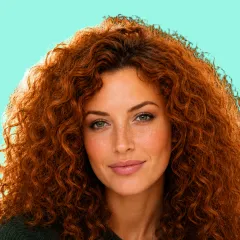 No official size
Instagram
Fit the whole photo in the circle, hair and all.
Read the guide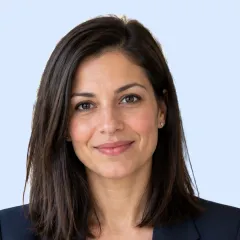 No official size
Facebook
Change your picture and keep your face inside the circle.
Read the guide No official size
WhatsApp
Make the full DP fit, with nothing cropped.
Read the guide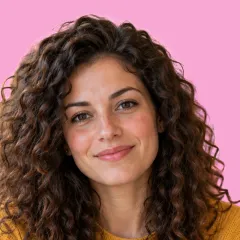 At least 20 × 20 px
TikTok
A bold colour that stands out next to your videos.
Read the guide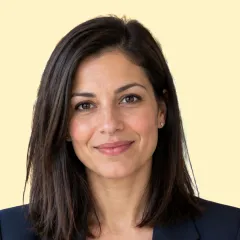 400 × 400 px, 2 MB
X (Twitter)
The right size, and the step that makes it save.
Read the guide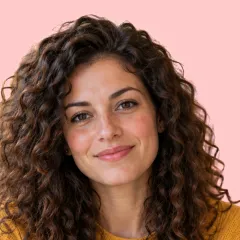 Shown at 98 × 98 px
YouTube
The channel picture, not the Google one, and Publish.
Read the guide No official size
Google and Gmail
The face beside every email you send.
Read the guide No official size
Teams and Outlook
The whole team on one background, ready for work.
Read the guide
Frequently asked questions
What size should a profile picture be?
A square of at least 1080 × 1080 px works on every network. LinkedIn accepts 400 × 400 up to 7680 × 4320 px, X recommends 400 × 400, TikTok asks for at least 20 × 20, YouTube shows it at 98 × 98; Facebook, Instagram, WhatsApp, Google and Microsoft publish no size.
What is the best background for a professional profile picture?
A plain one. Light grey or white for work networks like LinkedIn; a calm or bold single colour elsewhere. It should contrast with your hair and clothes.
How do I put a plain background behind my profile picture?
Drop the photo into AwaCut and choose Custom with the colour you want, or White. It cuts you out and puts you on that colour, offline, at full size. The first 10 photos are free.
Can I use the same profile picture everywhere?
Yes, and it helps people recognise you. Make one square at 1080 × 1080 px or more; every network shows it as a circle.
Try it on your own photos
Download AwaCut and cut out 10 photos free. No account, no card, no watermark. Compare the cutouts yourself.
macOS
macOS 13.4+ (Apple silicon)
v1.0.6 · 194 MB
macOSBackground remover for MacWindows
Windows 10 or 11 (64-bit)
v1.0.6 · 180 MB
WindowsBackground remover for WindowsLinux
AppImage (x86-64)
v1.0.6 · 268 MB
LinuxBackground remover for Linux
Signed by AYA MIM S.R.L. If Windows still shows "Windows protected your PC", click More info, then Run anyway.
No AwaCut account. No credits. No uploads. 2 computers per licence, full refund within 14 days.