YouTube thumbnail guide
How to make a YouTube thumbnail that gets clicked
Make it 16:9 at 3840 × 2160 px, the size YouTube now recommends (640 px wide is the minimum), and save it as JPG or PNG. Then keep it to three things: one face or object, cut out and large; a plain background in a colour that contrasts with it; and three or four words big enough to read on a phone. AwaCut does the cutout: drop in your photos and each one comes back on a transparent background or a colour you pick, offline.
2 computers per licence. Full refund within 14 days, no reason needed.
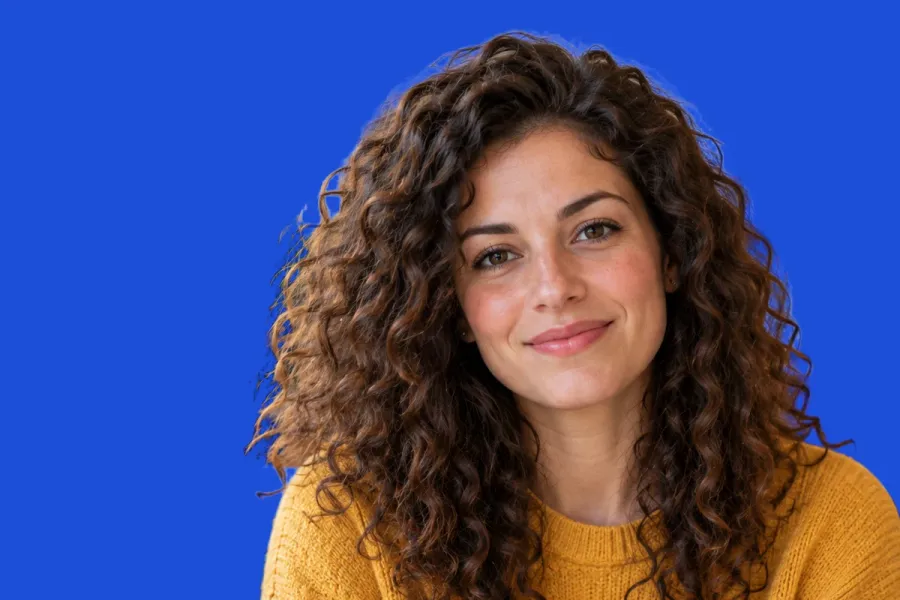
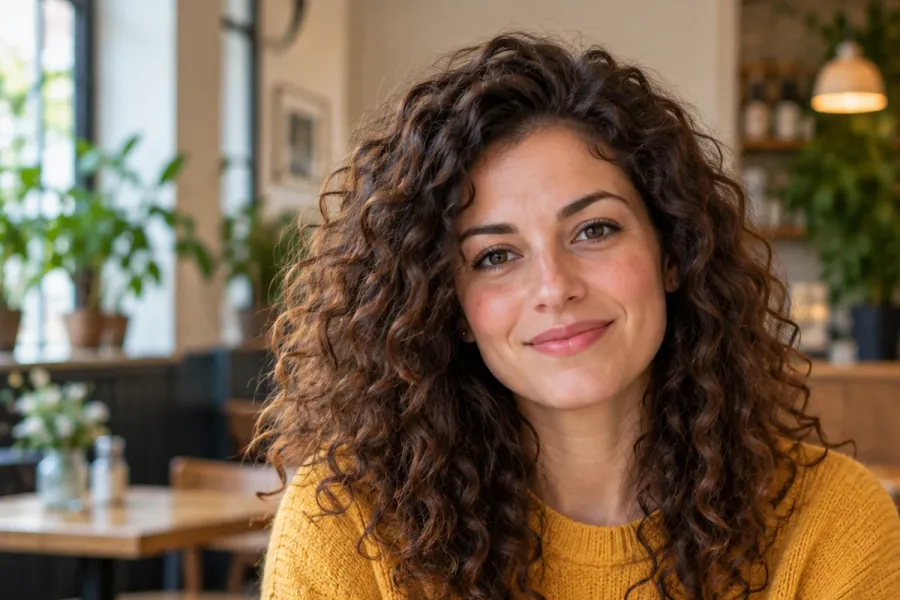
- Works offline
- No account, no uploads
- As many photos as you want, all year
Listed onAlternativeToMicrosoft Store
Pick a sharp photo with a big face
Expression matters more than the background, because the background is going away. Shoot 10 to 20 frames with different expressions, in good light, and keep them all: one session can feed months of thumbnails.
Cut it out with AwaCut
Drop the photo, or the whole folder of frames, into AwaCut. Choose Alpha for a transparent PNG, or Custom and type a hex colour such as #1D4ED8 to get it on a solid colour straight away. About 4 seconds a photo on a Mac Studio (M4 Max), at the photo's full size.
Add the words and export at 16:9
Place the cutout on a 3840 × 2160 canvas in any editor, free ones included. Put the face on one side and three or four words on the other, in a heavy font with a dark outline, then export as JPG or PNG. AwaCut does not add text: it gives you the clean cutout to build on.
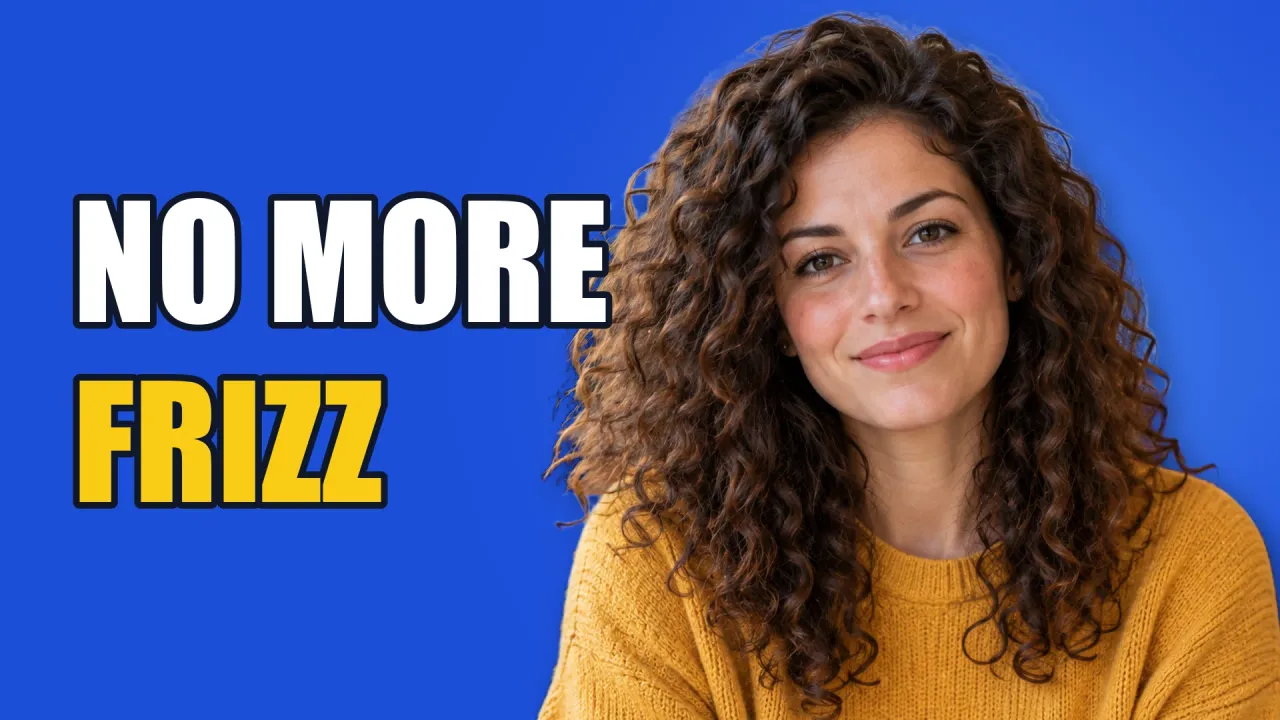
The finished thumbnail
One photo, the AwaCut cutout on the same blue (Custom, #1D4ED8), then in the editor: the cutout made bigger, a soft light behind the head, and two lines of text with a dark outline. Exported at 1920 × 1080, because the source photo was smaller than 3840 px wide.
Check it small
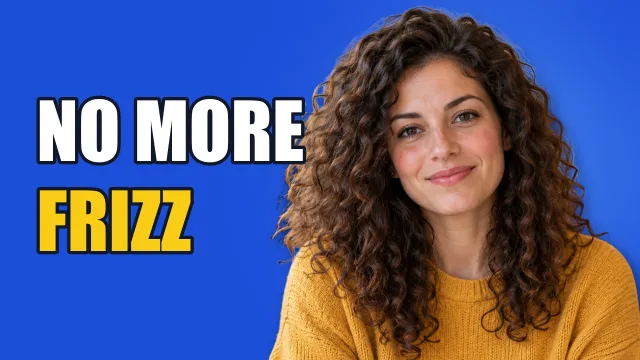
Most people see a thumbnail a few centimetres wide. Shrunk to 320 px, the face and the two words still read. The time stamp covers the bottom-right corner, so nothing important goes there.
YouTube thumbnail size, dimensions and rules in 2026
Resolution
- YouTube's rule
- 3840 × 2160 px recommended for videos
- What to do
- Export at 3840 × 2160, or 1920 × 1080 if your photo is smaller. Do not stretch a small photo up.
Minimum width
- YouTube's rule
- 640 px
- What to do
- Anything narrower is under YouTube's minimum.
Aspect ratio
- YouTube's rule
- 16:9 for videos, 9:16 for Shorts
- What to do
- Build on a 16:9 canvas so nothing gets cropped or boxed.
File type
- YouTube's rule
- JPG or PNG
- What to do
- JPG for photos (smaller files), PNG for flat colour and sharp text.
File size
- YouTube's rule
- 2 MB from the phone app, 50 MB from a computer
- What to do
- Upload from YouTube Studio on a computer for a full-size file.
Who can upload one
- YouTube's rule
- Verified accounts
- What to do
- Verify the channel in YouTube Studio first; then the thumbnail upload appears.
Your cutout (AwaCut)
- YouTube's rule
- Keeps the photo's own size
- What to do
- A 12 MP phone photo is about 4000 × 3000, wide enough for 3840 × 2160.
| What | YouTube's rule | What to do |
|---|---|---|
| Resolution | 3840 × 2160 px recommended for videos | Export at 3840 × 2160, or 1920 × 1080 if your photo is smaller. Do not stretch a small photo up. |
| Minimum width | 640 px | Anything narrower is under YouTube's minimum. |
| Aspect ratio | 16:9 for videos, 9:16 for Shorts | Build on a 16:9 canvas so nothing gets cropped or boxed. |
| File type | JPG or PNG | JPG for photos (smaller files), PNG for flat colour and sharp text. |
| File size | 2 MB from the phone app, 50 MB from a computer | Upload from YouTube Studio on a computer for a full-size file. |
| Who can upload one | Verified accounts | Verify the channel in YouTube Studio first; then the thumbnail upload appears. |
| Your cutout (AwaCut) | Keeps the photo's own size | A 12 MP phone photo is about 4000 × 3000, wide enough for 3840 × 2160. |
Source: YouTube Help, “Add video thumbnails”, read on 25 October 2026.
Three mistakes that cost clicks
Too many words
At thumbnail size, more than four words turn into a grey smudge. The title under it already says the rest.
Subject and background the same colour
A mustard sweater on a yellow background disappears. Pick a colour from the other side of the colour wheel: blue behind yellow, orange behind blue.
Words in the bottom-right corner
YouTube puts the video's length there. Keep faces and words out of that corner.
Cut out a whole set at once
Most channels reuse the same faces: surprised, pointing, laughing. Shoot 30 expressions in one session, drop the folder into AwaCut, and you have 30 cutouts to build thumbnails from for months. It runs on your computer, so frames from unreleased videos never go to anyone's server, and there are no credits: as many photos as you want, all year.
Try it on your own photos: the first 10 are free, no account.
2 computers per licence. Full refund within 14 days, no reason needed.
Frequently asked questions
What size is a YouTube thumbnail in 2026?
YouTube recommends a resolution of 3840 × 2160 pixels for videos, in 16:9, with a minimum width of 640 pixels. The file can be JPG or PNG, up to 2 MB from the phone app or 50 MB from a computer. Shorts thumbnails are 9:16, at 2160 × 3840.
Is 1280 × 720 still OK for a thumbnail?
Yes. It is 16:9 and above the 640 px minimum, so YouTube accepts it. YouTube now recommends 3840 × 2160, which stays sharper on large screens and TVs.
Why can't I upload a custom thumbnail?
YouTube lets only verified accounts upload their own thumbnails. Verify the channel in YouTube Studio, and the option to upload a thumbnail appears.
How do I add a thumbnail to a YouTube video?
In YouTube Studio, open Content, click the edit icon of the video, choose Upload file under Thumbnail, then Save. The option appears once the channel is verified.
What font is best for a YouTube thumbnail?
A heavy, condensed sans-serif in capitals, with a dark outline or shadow so it reads on any background. The example on this page uses Impact. Two colours at most: white for most words, one bright colour for the word that matters.
How do I remove the background from a photo for a thumbnail?
Drop the photo into AwaCut and choose Alpha for a transparent PNG, or Custom to put it on a solid colour. It runs offline on Mac, Windows and Linux.
Does AwaCut make the whole thumbnail?
No. AwaCut does the cutout, the slow part by hand. You add the words in any editor, free ones included.
Cut out your next 30 thumbnail photos
The first 10 photos are free on each computer, with no account and no card. Then one yearly licence for as many photos as you want.
macOS
macOS 13.4+ (Apple silicon)
v1.0.6 · 194 MB
macOSBackground remover for MacWindows
Windows 10 or 11 (64-bit)
v1.0.6 · 180 MB
WindowsBackground remover for WindowsLinux
AppImage (x86-64)
v1.0.6 · 268 MB
LinuxBackground remover for Linux
Signed by AYA MIM S.R.L. If Windows still shows "Windows protected your PC", click More info, then Run anyway.
No AwaCut account. No credits. No uploads. 2 computers per licence, full refund within 14 days.