AwaCut for Amazon sellers
White background for Amazon product photos, hundreds at once
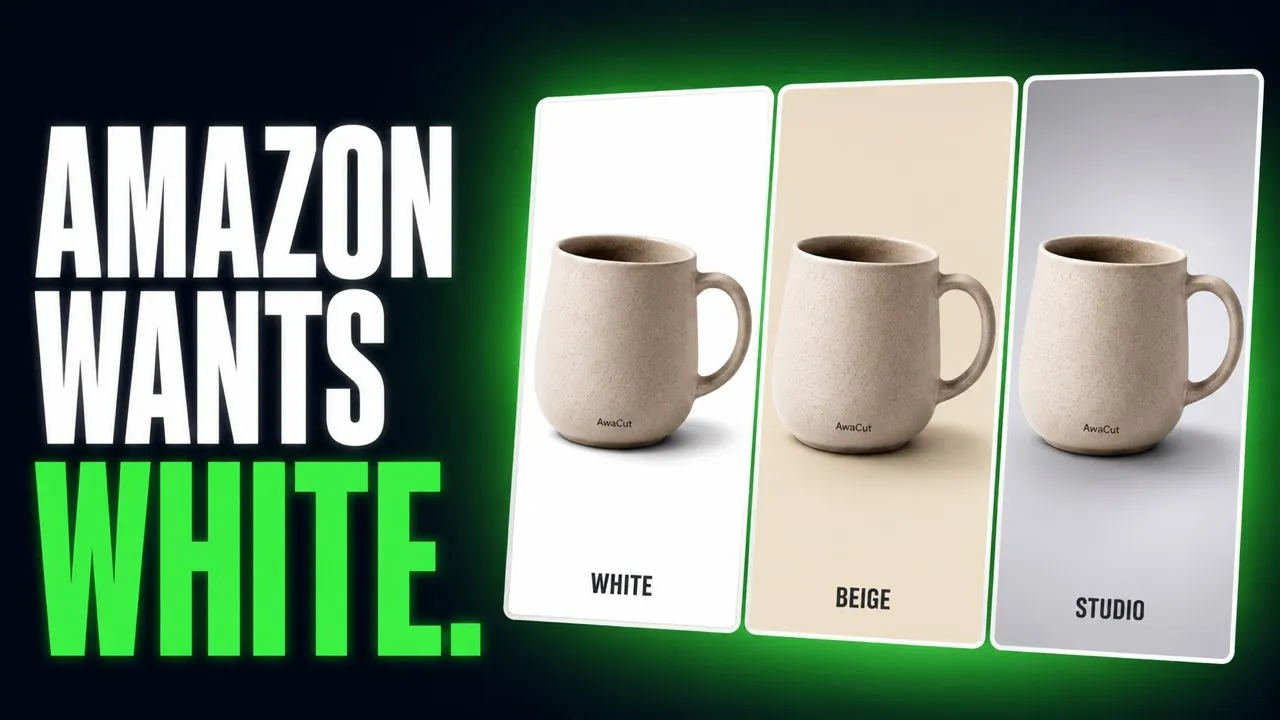
Amazon asks for a pure white background on the main image. Drop in your product folder and AwaCut puts every photo on White, RGB 255. Offline, at full resolution, as many photos as you want.
2 computers per licence. Full refund within 14 days, no reason needed.


- Works offline
- No account, no uploads
- As many photos as you want, all year
Listed onAlternativeToMicrosoft Store
How to make the background white for Amazon
Three steps in AwaCut, the same for one product or a whole catalog.
Drop in the catalog folder
Drag the folder with your product photos in. Hundreds queue at once and run on your computer, about 4 seconds each on a Mac Studio (M4 Max).
Set the background to White
White is pure white, RGB 255, the same on every photo. Set it once and the whole folder follows.
Choose JPG for Seller Central
Choose JPG. Each photo is saved at its original resolution as soon as it is ready. Check Before and After on any photo, then upload the folder to Seller Central.
Amazon listing images, straight out of AwaCut
Ordinary product photos, cut by the app. No retouching.


Amazon image requirements: three tips
Three things to check before a main image goes live.
Pure white means RGB 255
Amazon asks for pure white, RGB 255, 255, 255, on the main image. AwaCut's White is exactly that, so an off-white backdrop never reaches the listing.
Let the product fill the frame
Amazon asks for the product to fill about 85% of the main image. Shoot close: AwaCut keeps the framing you shot and only replaces the background.
Amazon product image size: big enough for zoom
Amazon turns on zoom for images about 1000 pixels or more on the longest side. AwaCut never downscales: a 12-megapixel photo comes back at 12 megapixels.
A whole catalog, one flat price
A catalog has hundreds of photos, and every new variant adds more. Per-image tools charge for each one. AwaCut is $29 a year for as many photos as you want, all year, on 2 computers. At 1,000 photos a year that is under 3 cents a photo, and nothing is uploaded. The same steps work for any shop: white background product photos.
2 computers per licence. Full refund within 14 days, no reason needed.
Questions Amazon sellers ask
About the white background, image size, file formats and the price. Not here? Write to contact@aya.software, a person answers.
Does Amazon really ask for a pure white background?
For the main image, yes: Amazon asks for pure white, RGB 255, 255, 255. AwaCut's White export puts every cutout on exactly that white, in one batch, the same across the whole catalog.
Will the white look identical across my whole catalog?
Yes. It is the same background value applied to every image, not a per-photo edit, so a hundred listings come out on the same white.
Does AwaCut keep the resolution Amazon wants for zoom?
Yes. Exports keep the original resolution, so images that are big enough for zoom going in are still big enough coming out.
Do the other listing images need white too?
Amazon's white rule is for the main image. For the others you can export on White, on Custom (any colour), or on Alpha as transparent PNGs for your own composites.
JPG or PNG for Amazon?
Amazon accepts both. JPG on White is the usual choice for the main image and keeps files small. Exports keep the original resolution either way.
How long does a whole catalog take?
About 4 seconds a photo on a Mac Studio (M4 Max), so 500 phone photos take about 32 minutes there. Speed depends on your computer. The price does not: no credits, the same at 50 photos or 5,000.
Can I use the cutouts commercially?
Yes, the exports are yours: Amazon listings, ads, your own store. No watermark is ever written into an export, the ten trial photos included.
Does it work on Windows and Mac?
Yes. AwaCut runs on macOS 13.4 or later (Apple silicon), Windows 10 or 11 (64-bit) and Linux (AppImage, x86-64), and one licence covers 2 computers. Background removal runs on the computer itself, so it works offline too.
Will my main image pass Amazon's white background check?
The background will be right: AwaCut's White is exactly RGB 255, 255, 255 on every photo. The rest is your shot, so check that the product fills about 85% of the frame before you upload.
Try it on your own photos
Put 10 of your own product photos on pure white, free. No account.
macOS
macOS 13.4+ (Apple silicon)
v1.0.6 · 194 MB
macOSBackground remover for MacWindows
Windows 10 or 11 (64-bit)
v1.0.6 · 180 MB
WindowsBackground remover for WindowsLinux
AppImage (x86-64)
v1.0.6 · 268 MB
LinuxBackground remover for Linux
Signed by AYA MIM S.R.L. If Windows still shows "Windows protected your PC", click More info, then Run anyway.
No AwaCut account. No credits. No uploads. 2 computers per licence, full refund within 14 days.