AwaCut for AI images
AI image background remover, with real transparent PNGs
Drop in a folder of images from ChatGPT, Gemini or Midjourney. AwaCut cuts out each subject and exports a real transparent PNG, about 4 seconds an image on a Mac Studio (M4 Max), offline. No painted checkerboard, no uploads.
2 computers per licence. Full refund within 14 days, no reason needed.


- Works offline
- No account, no uploads
- As many photos as you want, all year
Listed onAlternativeToMicrosoft Store
How to make a transparent background for AI images
Three steps in AwaCut, the same for one image or a whole folder of generations.
Drop in the folder of generations
Save your images as PNG, JPG or WebP into one folder and drag it in. Hundreds queue at once, about 4 seconds each on a Mac Studio (M4 Max).
Keep the background on Alpha
Alpha writes real transparency into the file. Or pick White or a Custom colour, and add an Outline for sticker designs.
Get real transparent PNGs
PNG or WebP with a true alpha channel, saved to your folder as each image finishes, at the size the generator gave you, ready for Canva, Figma, Photoshop or a print-on-demand mockup.
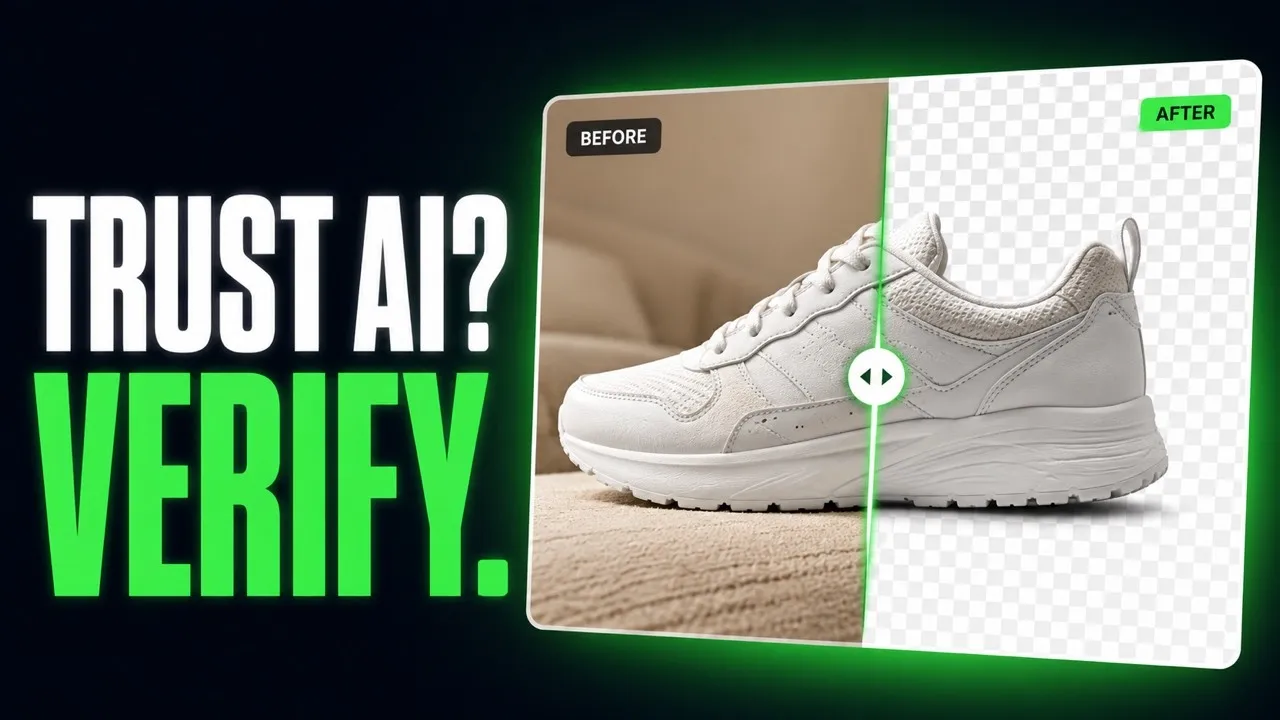
From fake PNG to real transparency, straight out of AwaCut
AI-generated images, cut by the app. No retouching.


Transparent background from ChatGPT or Nano Banana: three tips
Three things that decide how clean an AI cutout turns out.
Ask for a plain background
Prompt for the subject on a plain, solid background. A clear edge between subject and background gives the cleanest cutout.
Spot a fake PNG: the painted checkerboard
Open the file on a dark background in any editor. If the grey and white squares are still there, they were painted into the pixels. Run it through AwaCut and the subject comes out on real transparency.
Upscale before you cut
AwaCut keeps the size it gets: a 1024-pixel image comes back at 1024 pixels. For print, upscale first, then cut, so the edge is made at the final size.
Why not ask the generator for transparency?
Some generators can export transparency, many still paint a checkerboard, and it changes from one update to the next. AwaCut is one fixed step after any generator: a whole folder at once, offline, as many images as you want, all year, for $29 a year.
2 computers per licence. Full refund within 14 days, no reason needed.
Questions about AI images and transparency
About fake PNGs, generators, print size and the price. Not here? Write to contact@aya.software, a person answers.
Why does the transparency from AI generators look fake?
Often because it is: many generators paint the checkerboard into the pixels instead of writing a real alpha channel. AwaCut runs a segmentation model over the image and exports a PNG with true transparency that works in any editor.
Which AI generators does it work with?
Any that saves a PNG, JPG or WebP: ChatGPT, Gemini, Midjourney, Firefly, Stable Diffusion or anything else. Put them in one folder and they run in one batch.
Will it keep fine details like hair from AI portraits?
Hair and fine edges are what the model is built for. Try your most detailed portrait on the free trial and judge the edge with Before and After.
Can I sell designs made from the cutouts?
AwaCut adds no watermark and no limits of its own: the exports are yours to use commercially. What you may do with the generated image itself is set by the generator's terms.
Will my AI images print sharp?
The cutout keeps the size of the image it gets, nothing is downscaled. Generators often output small files, so for print, upscale first and cut after.
Are my images uploaded or used to train AI?
No. Background removal runs on your computer, offline. Images are never uploaded and never used to train AI, and there is no account.
How many images can I process?
As many as you want, all year, for a flat $29 a year. The first 10 are free, at full resolution, with no watermark.
Does it work on Windows and Mac?
Yes. AwaCut runs on macOS 13.4 or later (Apple silicon), Windows 10 or 11 (64-bit) and Linux, and one licence covers 2 computers. Background removal runs on the computer itself, so it works offline too.
Try it on your own photos
Download AwaCut and cut out 10 photos free. No account, no card, no watermark. Compare the cutouts yourself.
macOS
macOS 13.4+ (Apple silicon)
v1.0.6 · 194 MB
macOSBackground remover for MacWindows
Windows 10 or 11 (64-bit)
v1.0.6 · 180 MB
WindowsBackground remover for WindowsLinux
AppImage (x86-64)
v1.0.6 · 268 MB
LinuxBackground remover for Linux
Signed by AYA MIM S.R.L. If Windows still shows "Windows protected your PC", click More info, then Run anyway.
No AwaCut account. No credits. No uploads. 2 computers per licence, full refund within 14 days.