Convert JPG to PNG, free
JPG to PNG: three free ways, and a whole folder at once
To convert JPG to PNG for free, open the image and save it as PNG. On a Mac, open it in Preview and choose File, Export, Format: PNG. On Windows, open it in Paint and choose File, Save as, PNG picture. On Linux, use GIMP 3 and File, Export As. The background stays as it is: a PNG is only transparent when the background is removed. For a whole folder, Convert Images in AwaCut converts every file at once.
2 computers per licence. Full refund within 14 days, no reason needed.

- No upload
- Lossless from here on
- Mac, Windows and Linux
Listed onAlternativeToMicrosoft Store
Mac: Preview
Open the .jpg in Preview, choose File, Export and set Format to PNG. Select several files in the sidebar to export them together.
Windows: Paint, Linux: GIMP 3
Open the .jpg in Paint and choose File, Save as, PNG picture. On Linux, open it in GIMP 3 and use File, Export As with a name ending in .png.
A whole folder: AwaCut
Drop the folder on Convert Images, pick PNG and export. Every file is converted on your computer, named after the original.
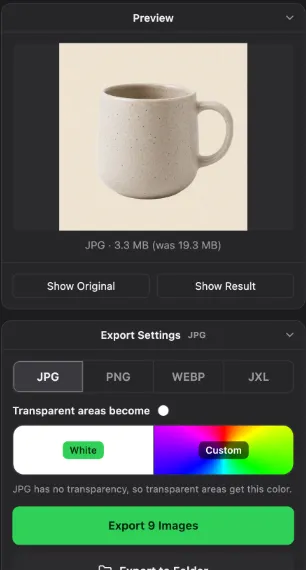
JPG to PNG converters
Preview
- Runs on
- Mac, built in
- Good to know
- One file or a selection
Paint
- Runs on
- Windows, built in
- Good to know
- One file at a time
GIMP 3
- Runs on
- Mac, Windows, Linux
- Good to know
- Free, one file at a time
ImageMagick
- Runs on
- Mac, Windows, Linux
- Good to know
- Free, command line, a whole folder with one command
AwaCut (Convert Images)
- Runs on
- Mac, Windows, Linux
- Good to know
- Whole folders to PNG, JPG, WebP or JXL. 10 photos free, then a licence
| Tool | Runs on | Good to know |
|---|---|---|
| Preview | Mac, built in | One file or a selection |
| Paint | Windows, built in | One file at a time |
| GIMP 3 | Mac, Windows, Linux | Free, one file at a time |
| ImageMagick | Mac, Windows, Linux | Free, command line, a whole folder with one command |
| AwaCut (Convert Images) | Mac, Windows, Linux | Whole folders to PNG, JPG, WebP or JXL. 10 photos free, then a licence |
None of these makes the background transparent; that needs background removal. Checked November 2026.
Mistakes when converting JPG to PNG
Expecting a transparent background
A JPG photo saved as PNG keeps its background. If you need it see-through, remove the background, then save as PNG.
Converting photos only to share them
A photo as PNG is often several times larger than the JPG. Shops, email and upload forms with a size limit usually want the JPG.
Hoping to repair a bad JPG
The blur and blocks of a small, heavily compressed JPG stay in the PNG. Start from the largest original you have.
Why convert JPG to PNG
JPG loses a little detail each time it is saved. PNG does not, so a picture you will edit several times, a graphic with text, or a file for a form that accepts PNG only is better as PNG. For photos you only share, JPG stays the smaller file.
Try it on your own photos: the first 10 are free, no account.
2 computers per licence. Full refund within 14 days, no reason needed.
Frequently asked questions
How do I convert JPG to PNG on Windows?
Open the file in Paint and choose File, Save as, PNG picture. For a whole folder, drop it on Convert Images in AwaCut.
Does converting JPG to PNG make the background transparent?
No. Converting changes the format, not the picture, so the background is still there. To get a transparent PNG, the background has to be removed first; Remove Background in AwaCut does both in one step.
Does JPG to PNG improve quality?
It does not get better or worse. PNG keeps exactly what the JPG shows, including any blur JPG compression already added. From then on, editing and saving again loses nothing.
Can I convert many JPG files to PNG at once?
Yes. Convert Images in AwaCut converts a whole folder in one run on Mac, Windows and Linux. With ImageMagick: magick mogrify -format png *.jpg.
Convert a folder of JPG files to PNG
Convert Images has 10 free photos on each computer, then one yearly licence for as many photos as you want, with Remove Background included.
macOS
macOS 13.4+ (Apple silicon)v1.0.7 · 186 MB
Windows
Windows 10 or 11 (64-bit)v1.0.7 · 176 MB
Linux
AppImage (x86-64)v1.0.7 · 263 MB
Signed by AYA MIM S.R.L. If Windows still shows "Windows protected your PC", click More info, then Run anyway.
No AwaCut account. No credits. No uploads. 2 computers per licence, full refund within 14 days.