AwaCut für KI-Bilder
Hintergrund von KI-Bildern entfernen, mit echten transparenten PNGs
Ziehen Sie einen Ordner mit Bildern aus ChatGPT, Gemini oder Midjourney hinein. AwaCut stellt jedes Motiv frei und exportiert ein echtes transparentes PNG, etwa 4 Sekunden pro Bild auf einem Mac Studio (M4 Max), offline. Kein aufgemaltes Schachbrett, keine Uploads.
Oder direkt kaufen: 29 USD/Jahr
2 Rechner pro Lizenz. Volle Erstattung innerhalb von 14 Tagen, ohne Angabe von Gründen.


- Funktioniert offline
- Kein Konto, keine Uploads
- So viele Fotos, wie Sie wollen, das ganze Jahr
Gelistet aufAlternativeToMicrosoft Store
So machen Sie den Hintergrund von KI-Bildern transparent
Drei Schritte in AwaCut, gleich für ein Bild oder einen ganzen Ordner voller Generierungen.
Den Ordner mit den Generierungen hineinziehen
Speichern Sie Ihre Bilder als PNG, JPG oder WebP in einem Ordner und ziehen Sie ihn hinein. Hunderte stehen auf einmal in der Warteschlange, etwa 4 Sekunden pro Bild auf einem Mac Studio (M4 Max).
Den Hintergrund auf Alpha lassen
Alpha schreibt echte Transparenz in die Datei. Oder wählen Sie Weiß oder mit „Eigene“ eine beliebige Farbe, und fügen Sie für Sticker-Designs eine Kontur hinzu.
Echte transparente PNGs erhalten
PNG oder WebP mit echtem Alphakanal, in Ihrem Ordner gespeichert, sobald jedes Bild fertig ist, in der Größe, die der Generator geliefert hat, bereit für Canva, Figma, Photoshop oder ein Print-on-Demand-Mockup.
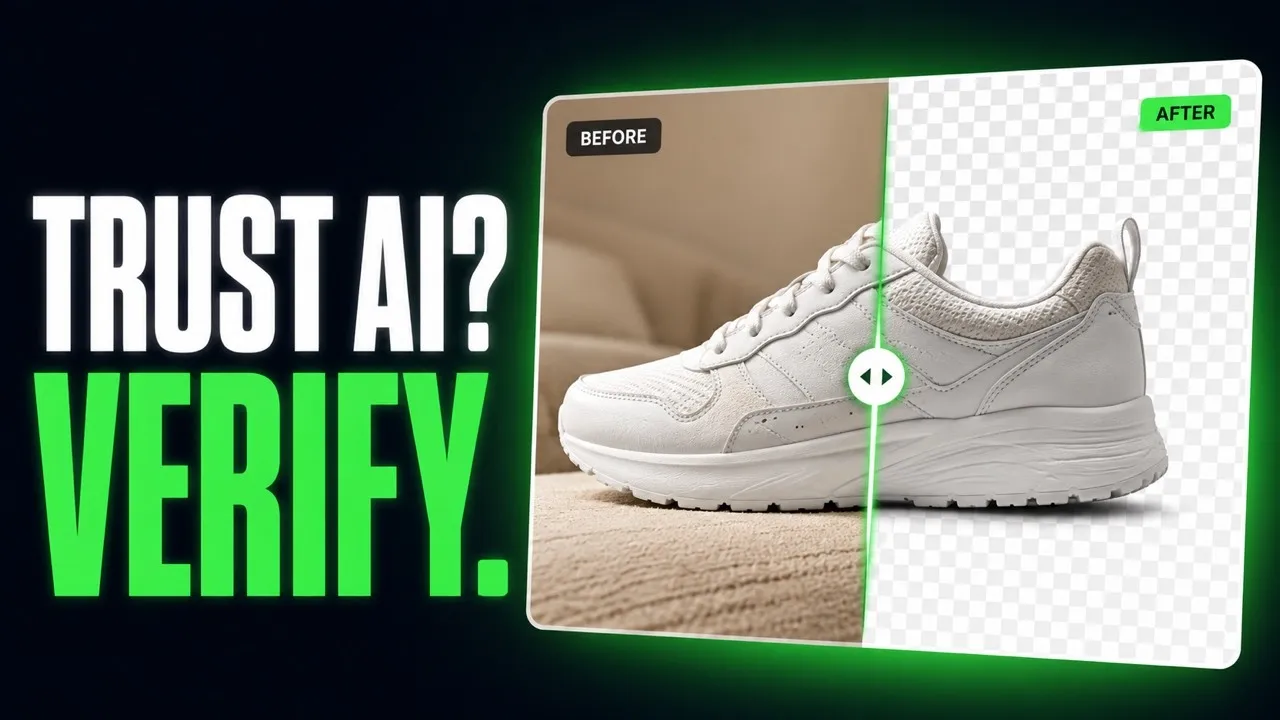
Vom falschen PNG zu echter Transparenz, direkt aus AwaCut
KI-generierte Bilder, freigestellt von der App. Ohne Retusche.


Transparenter Hintergrund aus ChatGPT oder Nano Banana: drei Tipps
Drei Dinge, die entscheiden, wie sauber ein KI-Freisteller wird.
Einen schlichten Hintergrund anfordern
Lassen Sie das Motiv vor einem schlichten, einfarbigen Hintergrund generieren. Eine klare Kante zwischen Motiv und Hintergrund ergibt den saubersten Freisteller.
Falsches PNG erkennen: das gemalte Schachbrett
Öffnen Sie die Datei in einem beliebigen Bildprogramm auf dunklem Hintergrund. Sind die grauen und weißen Kästchen noch da, wurden sie in die Pixel gemalt. Lassen Sie das Bild durch AwaCut laufen, und das Motiv steht auf echter Transparenz.
Vor dem Freistellen hochskalieren
AwaCut behält die Größe, die es bekommt: Ein Bild mit 1.024 Pixeln kommt mit 1.024 Pixeln zurück. Für den Druck erst hochskalieren, dann freistellen, damit die Kante in der endgültigen Größe entsteht.
Warum nicht den Generator um Transparenz bitten?
Manche Generatoren können Transparenz exportieren, viele malen weiterhin ein Schachbrett, und das ändert sich von Update zu Update. AwaCut ist ein fester Schritt nach jedem Generator: ein ganzer Ordner auf einmal, offline, so viele Bilder, wie Sie wollen, das ganze Jahr, für 29 USD pro Jahr.
Oder direkt kaufen: 29 USD/Jahr
2 Rechner pro Lizenz. Volle Erstattung innerhalb von 14 Tagen, ohne Angabe von Gründen.
Fragen zu KI-Bildern und Transparenz
Zu falschen PNGs, Generatoren, Druckgröße und Preis. Ihre Frage ist nicht dabei? Schreiben Sie an contact@aya.software, ein Mensch antwortet.
Warum sieht die Transparenz aus KI-Generatoren falsch aus?
Oft, weil sie es ist: Viele Generatoren malen das Schachbrettmuster in die Pixel, statt einen echten Alphakanal zu schreiben. AwaCut lässt ein Segmentierungsmodell über das Bild laufen und exportiert ein PNG mit echter Transparenz, das in jedem Bildprogramm funktioniert.
Mit welchen KI-Generatoren funktioniert es?
Mit jedem, der PNG, JPG oder WebP speichert: ChatGPT, Gemini, Midjourney, Firefly, Stable Diffusion oder jedem anderen. Legen Sie die Bilder in einen Ordner, dann laufen sie in einem Durchgang.
Bleiben feine Details wie Haare in KI-Porträts erhalten?
Haare und feine Kanten sind genau das, wofür das Modell gebaut ist. Testen Sie Ihr detailreichstes Porträt in der Gratis-Testphase und beurteilen Sie die Kante mit Vorher und Nachher.
Darf ich Designs aus den Freistellern verkaufen?
AwaCut fügt kein Wasserzeichen und keine eigenen Einschränkungen hinzu: Die Exporte dürfen Sie gewerblich nutzen. Was Sie mit dem generierten Bild selbst tun dürfen, regeln die Bedingungen des Generators.
Werden meine KI-Bilder scharf gedruckt?
Der Freisteller behält die Größe des Bildes, das er bekommt, nichts wird verkleinert. Generatoren liefern oft kleine Dateien. Für den Druck also erst hochskalieren, dann freistellen.
Werden meine Bilder hochgeladen oder zum KI-Training genutzt?
Nein. Die Hintergrundentfernung läuft auf Ihrem Computer, offline. Bilder werden nie hochgeladen und nie zum Training von KI verwendet, und es gibt kein Konto.
Wie viele Bilder kann ich verarbeiten?
So viele, wie Sie wollen, das ganze Jahr, zum Festpreis von 29 USD pro Jahr. Die ersten 10 sind gratis, in voller Auflösung, ohne Wasserzeichen.
Funktioniert es unter Windows und auf dem Mac?
Ja. AwaCut läuft auf macOS 13.4 oder neuer (Apple silicon), Windows 10 oder 11 (64-Bit) und Linux, und eine Lizenz gilt für 2 Computer. Die Hintergrundentfernung läuft auf dem Computer selbst, also auch offline.
Probieren Sie es an Ihren eigenen Fotos
Laden Sie AwaCut herunter und stellen Sie 10 Fotos gratis frei. Ohne Konto, ohne Karte, ohne Wasserzeichen. Vergleichen Sie die Freisteller selbst.
macOS
macOS 13.4+ (Apple silicon)
v1.0.6 · 194 MB
macOSProgramm zum Freistellen für MacWindows
Windows 10 or 11 (64-bit)
v1.0.6 · 180 MB
WindowsProgramm zum Freistellen für WindowsLinux
AppImage (x86-64)
v1.0.6 · 268 MB
LinuxProgramm zum Freistellen für Linux
Signiert von AYA MIM S.R.L. Zeigt Windows trotzdem „Der Computer wurde durch Windows geschützt“, klicken Sie auf „Weitere Informationen“ und dann auf „Trotzdem ausführen“. Oder installieren Sie AwaCut aus dem Microsoft Store: dieselbe App, derselbe Schlüssel.
Kein AwaCut-Konto. Keine Credits. Keine Uploads. 2 Rechner pro Lizenz, volle Erstattung innerhalb von 14 Tagen.