AwaCut für Amazon-Verkäufer
Amazon-Produktbilder mit weißem Hintergrund, Hunderte auf einmal
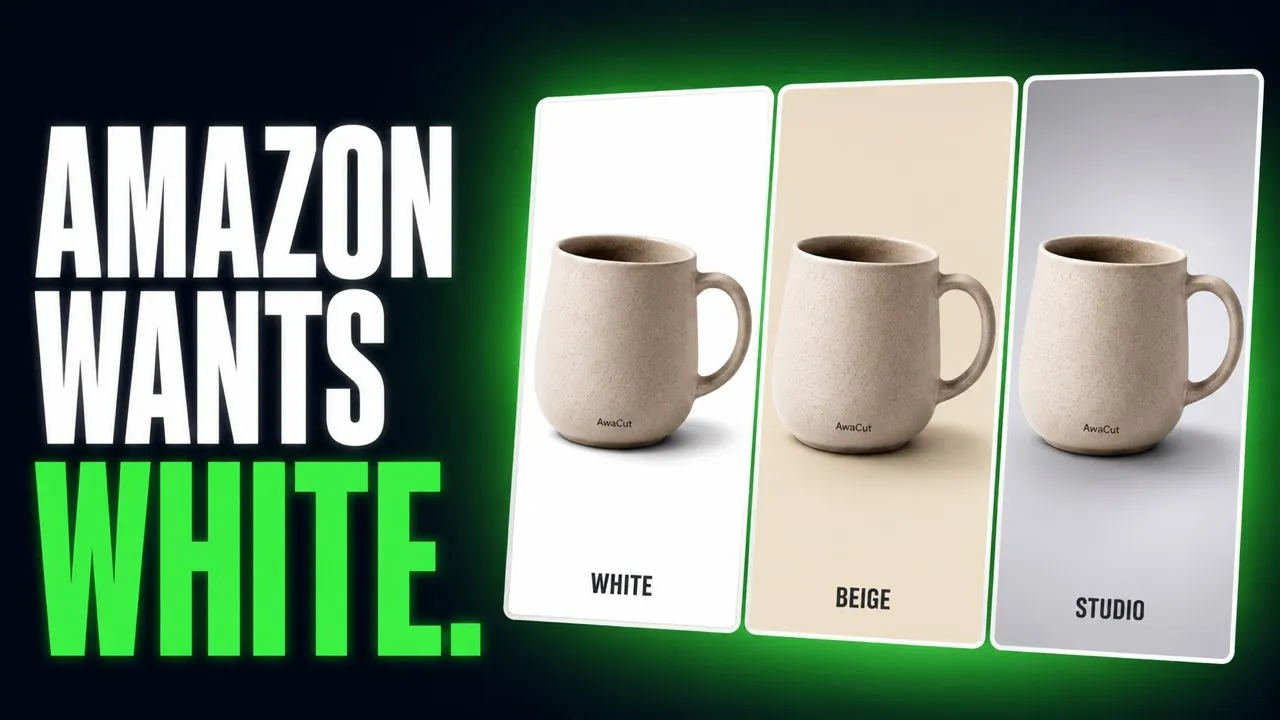
Amazon verlangt für das Hauptbild einen rein weißen Hintergrund. Ziehen Sie Ihren Produktordner hinein, und AwaCut setzt jedes Foto auf Weiß, RGB 255. Offline, in voller Auflösung, so viele Fotos, wie Sie wollen.
Oder direkt kaufen: 29 USD/Jahr
2 Rechner pro Lizenz. Volle Erstattung innerhalb von 14 Tagen, ohne Angabe von Gründen.


- Funktioniert offline
- Kein Konto, keine Uploads
- So viele Fotos, wie Sie wollen, das ganze Jahr
Gelistet aufAlternativeToMicrosoft Store
So machen Sie den Hintergrund für Amazon weiß
Drei Schritte in AwaCut, gleich für ein Produkt oder einen ganzen Katalog.
Den Katalog-Ordner hineinziehen
Ziehen Sie den Ordner mit Ihren Produktfotos hinein. Hunderte stehen auf einmal in der Warteschlange und laufen auf Ihrem Computer, etwa 4 Sekunden pro Bild auf einem Mac Studio (M4 Max).
Den Hintergrund auf Weiß stellen
Weiß ist reines Weiß, RGB 255, auf jedem Foto gleich. Einmal einstellen, und der ganze Ordner folgt.
JPG für Seller Central wählen
Wählen Sie JPG. Jedes Foto wird in Originalauflösung gespeichert, sobald es fertig ist. Prüfen Sie Vorher und Nachher an einem beliebigen Foto und laden Sie dann den Ordner in Seller Central hoch.
Amazon-Produktbilder, direkt aus AwaCut
Gewöhnliche Produktfotos, freigestellt von der App. Ohne Retusche.


Anforderungen an Amazon-Produktbilder: drei Tipps
Drei Dinge, die Sie prüfen sollten, bevor ein Hauptbild online geht.
Reines Weiß heißt RGB 255
Amazon verlangt für das Hauptbild reines Weiß, RGB 255, 255, 255. Weiß in AwaCut ist genau das, ein gebrochen weißer Hintergrund landet also nie im Angebot.
Das Produkt füllt das Bild
Amazon verlangt, dass das Produkt etwa 85 % des Hauptbildes füllt. Fotografieren Sie nah: AwaCut behält Ihren Bildausschnitt und ersetzt nur den Hintergrund.
Amazon-Produktbildgröße: groß genug für den Zoom
Amazon aktiviert den Zoom ab etwa 1.000 Pixeln an der längsten Seite. AwaCut verkleinert nie: Ein Foto mit 12 Megapixeln kommt mit 12 Megapixeln zurück.
Ein ganzer Katalog, ein fester Preis
Ein Katalog hat Hunderte Fotos, und jede neue Variante bringt weitere. Werkzeuge mit Preis pro Bild berechnen jedes einzelne. AwaCut kostet 29 USD im Jahr für so viele Fotos, wie Sie wollen, das ganze Jahr, auf 2 Computern. Bei 1.000 Fotos im Jahr sind das unter 3 Cent pro Foto, und nichts wird hochgeladen. Dieselben Schritte funktionieren für jeden Shop: Produktfotos mit weißem Hintergrund.
Oder direkt kaufen: 29 USD/Jahr
2 Rechner pro Lizenz. Volle Erstattung innerhalb von 14 Tagen, ohne Angabe von Gründen.
Fragen von Amazon-Verkäufern
Zum weißen Hintergrund, zur Bildgröße, zu Dateiformaten und zum Preis. Ihre Frage ist nicht dabei? Schreiben Sie an contact@aya.software, ein Mensch antwortet.
Verlangt Amazon wirklich einen rein weißen Hintergrund?
Für das Hauptbild ja: Amazon verlangt reines Weiß, RGB 255, 255, 255. Der Export auf Weiß in AwaCut setzt jeden Freisteller genau auf dieses Weiß, in einem Durchgang, gleich für den ganzen Katalog.
Sieht das Weiß im ganzen Katalog gleich aus?
Ja. Es ist derselbe Hintergrundwert für jedes Bild, keine Bearbeitung pro Foto. Hundert Angebote kommen also auf demselben Weiß heraus.
Behält AwaCut die Auflösung, die Amazon für den Zoom braucht?
Ja. Exporte behalten die Originalauflösung. Bilder, die beim Hineinziehen groß genug für den Zoom sind, sind es auch danach.
Brauchen die weiteren Produktbilder auch Weiß?
Die Weiß-Regel von Amazon gilt für das Hauptbild. Die weiteren Bilder können Sie auf Weiß, auf „Eigene“ (jede Farbe) oder auf Alpha als transparente PNGs für eigene Montagen exportieren.
JPG oder PNG für Amazon?
Amazon akzeptiert beides. JPG auf Weiß ist die übliche Wahl für das Hauptbild und hält die Dateien klein. Die Originalauflösung bleibt in beiden Fällen erhalten.
Wie lange dauert ein ganzer Katalog?
Etwa 4 Sekunden pro Foto auf einem Mac Studio (M4 Max), 500 Handyfotos dauern dort also etwa 32 Minuten. Das Tempo hängt von Ihrem Computer ab. Der Preis nicht: keine Credits, derselbe bei 50 Fotos oder 5.000.
Darf ich die Freisteller gewerblich nutzen?
Ja, die Exporte gehören Ihnen: Amazon-Angebote, Anzeigen, Ihr eigener Shop. Kein Export bekommt je ein Wasserzeichen, auch nicht die zehn Testfotos.
Funktioniert es unter Windows und auf dem Mac?
Ja. AwaCut läuft auf macOS 13.4 oder neuer (Apple silicon), Windows 10 oder 11 (64-Bit) und Linux (AppImage, x86-64), und eine Lizenz gilt für 2 Computer. Die Hintergrundentfernung läuft auf dem Computer selbst, also auch offline.
Besteht mein Hauptbild die Prüfung von Amazon auf weißen Hintergrund?
Der Hintergrund stimmt: Weiß ist in AwaCut auf jedem Foto exakt RGB 255, 255, 255. Der Rest liegt an Ihrer Aufnahme, prüfen Sie also vor dem Hochladen, ob das Produkt etwa 85 % des Bildes ausfüllt.
Probieren Sie es an Ihren eigenen Fotos
Setzen Sie 10 Ihrer eigenen Produktfotos kostenlos auf reines Weiß. Ohne Konto.
macOS
macOS 13.4+ (Apple silicon)
v1.0.6 · 194 MB
macOSProgramm zum Freistellen für MacWindows
Windows 10 or 11 (64-bit)
v1.0.6 · 180 MB
WindowsProgramm zum Freistellen für WindowsLinux
AppImage (x86-64)
v1.0.6 · 268 MB
LinuxProgramm zum Freistellen für Linux
Signiert von AYA MIM S.R.L. Zeigt Windows trotzdem „Der Computer wurde durch Windows geschützt“, klicken Sie auf „Weitere Informationen“ und dann auf „Trotzdem ausführen“. Oder installieren Sie AwaCut aus dem Microsoft Store: dieselbe App, derselbe Schlüssel.
Kein AwaCut-Konto. Keine Credits. Keine Uploads. 2 Rechner pro Lizenz, volle Erstattung innerhalb von 14 Tagen.