AwaCut dla obrazów AI
Usuwanie tła z obrazów AI, z prawdziwie przezroczystymi PNG
Wrzuć folder obrazów z ChatGPT, Gemini lub Midjourney. AwaCut wycina każdy obiekt i eksportuje prawdziwy przezroczysty PNG, około 4 sekund na obraz na Macu Studio (M4 Max), offline. Bez malowanej szachownicy, bez wysyłania plików.
2 komputery na licencję. Pełny zwrot pieniędzy w ciągu 14 dni, bez podawania powodu.


- Działa offline
- Bez konta, bez wysyłania
- Tyle zdjęć, ile chcesz, przez cały rok
Dostępny w serwisieAlternativeToMicrosoft Store
Jak zrobić przezroczyste tło na obrazach AI
Trzy kroki w AwaCut, takie same dla jednego obrazu i całego folderu generacji.
Wrzuć folder z wygenerowanymi obrazami
Zapisz obrazy jako PNG, JPG lub WebP w jednym folderze i przeciągnij go. Setki trafiają do kolejki naraz, około 4 sekund każdy na Macu Studio (M4 Max).
Zostaw tło Alfa
Alfa zapisuje w pliku prawdziwą przezroczystość. Możesz też wybrać Białe albo Własny kolor i dodać Obrys przy projektach naklejek.
Odbierz prawdziwe przezroczyste PNG
PNG lub WebP z prawdziwym kanałem alfa, zapisywane w Twoim folderze, gdy tylko każdy obraz jest gotowy, w rozmiarze z generatora, gotowe do Canvy, Figmy, Photoshopa albo mockupu print on demand.
Od fałszywego PNG do prawdziwej przezroczystości, prosto z AwaCut
Obrazy wygenerowane przez AI, wycięte przez aplikację. Bez retuszu.


Przezroczyste tło z ChatGPT lub Nano Banana: trzy wskazówki
Trzy rzeczy, od których zależy, jak czyste będzie wycięcie z AI.
Poproś o gładkie tło
W prompcie poproś o obiekt na gładkim, jednolitym tle. Wyraźna granica między obiektem a tłem daje najczystsze wycięcie.
Rozpoznaj fałszywy PNG: namalowana szachownica
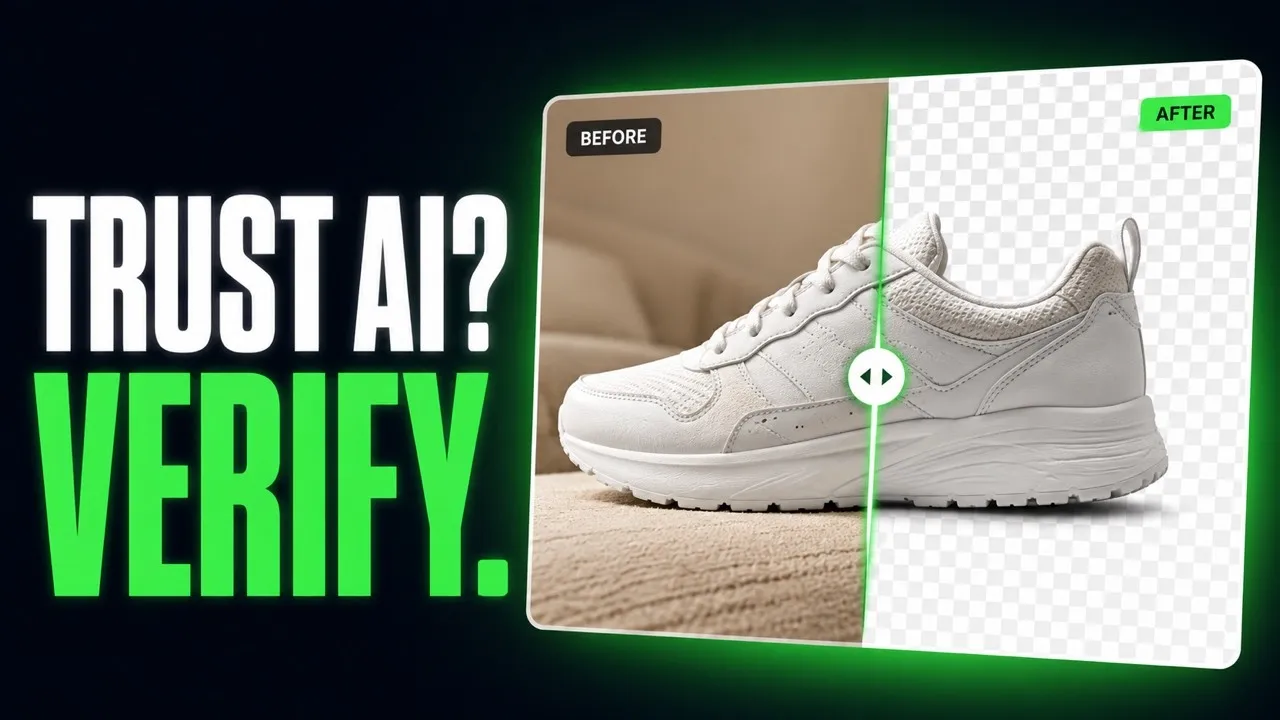
Otwórz plik na ciemnym tle w dowolnym edytorze. Jeśli szare i białe kwadraty nadal są widoczne, zostały namalowane w pikselach. Przepuść plik przez AwaCut, a obiekt wyjdzie na prawdziwej przezroczystości.
Powiększ, zanim wytniesz
AwaCut zachowuje rozmiar, który dostaje: obraz 1024 px wraca jako 1024 px. Do druku najpierw powiększ, potem wytnij, żeby krawędź powstała w docelowym rozmiarze.
Dlaczego nie poprosić generatora o przezroczystość?
Niektóre generatory potrafią eksportować przezroczystość, wiele wciąż maluje szachownicę, a zmienia się to z aktualizacji na aktualizację. AwaCut to jeden stały krok po każdym generatorze: cały folder naraz, offline, tyle obrazów, ile chcesz, przez cały rok, za 29 USD rocznie.
2 komputery na licencję. Pełny zwrot pieniędzy w ciągu 14 dni, bez podawania powodu.
Pytania o obrazy AI i przezroczystość
O fałszywych PNG, generatorach, rozmiarze do druku i cenie. Nie ma tu Twojego pytania? Napisz na contact@aya.software, odpowie człowiek.
Dlaczego przezroczystość z generatorów AI wygląda na fałszywą?
Często dlatego, że jest fałszywa: wiele generatorów maluje szachownicę w pikselach, zamiast zapisać prawdziwy kanał alfa. AwaCut przepuszcza obraz przez model segmentacji i eksportuje PNG z prawdziwą przezroczystością, która działa w każdym edytorze.
Z jakimi generatorami AI to działa?
Z każdym, który zapisuje PNG, JPG lub WebP: ChatGPT, Gemini, Midjourney, Firefly, Stable Diffusion i każdym innym. Wrzuć obrazy do jednego folderu, a przejdą w jednej partii.
Czy zachowa drobne detale, jak włosy na portretach AI?
Włosy i drobne krawędzie to dokładnie to, do czego zbudowano model. Wypróbuj swój najbardziej szczegółowy portret w darmowej wersji próbnej i oceń krawędź w widoku Przed i Po.
Czy mogę sprzedawać projekty zrobione z wycięć?
AwaCut nie dodaje znaku wodnego ani własnych ograniczeń: eksporty są Twoje i możesz ich używać komercyjnie. Co wolno Ci zrobić z samym wygenerowanym obrazem, określa regulamin generatora.
Czy moje obrazy AI wydrukują się ostro?
Wycięcie zachowuje rozmiar obrazu, który dostaje, nic nie jest zmniejszane. Generatory często dają małe pliki, więc do druku najpierw powiększ, a potem wycinaj.
Czy moje obrazy są wysyłane albo używane do trenowania AI?
Nie. Usuwanie tła odbywa się na Twoim komputerze, offline. Obrazy nigdy nie są wysyłane ani używane do trenowania AI i nie ma żadnego konta.
Ile obrazów mogę przetworzyć?
Tyle, ile chcesz, przez cały rok, za stałe 29 USD rocznie. Pierwsze 10 jest za darmo, w pełnej rozdzielczości, bez znaku wodnego.
Czy działa na Windows i Macu?
Tak. AwaCut działa na macOS 13.4 lub nowszym (Apple silicon), Windows 10 lub 11 (64-bit) i Linuksie, a jedna licencja obejmuje 2 komputery. Usuwanie tła odbywa się na samym komputerze, więc działa także offline.
Wypróbuj na własnych zdjęciach
Pobierz AwaCut i wytnij 10 zdjęć za darmo. Bez konta, bez karty, bez znaku wodnego. Sam porównaj wycięcia.
macOS
macOS 13.4+ (Apple silicon)
v1.0.6 · 194 MB
macOSProgram do wycinania tła na MacaWindows
Windows 10 or 11 (64-bit)
v1.0.6 · 180 MB
WindowsProgram do wycinania tła na WindowsLinux
AppImage (x86-64)
v1.0.6 · 268 MB
LinuxProgram do wycinania tła na Linuksa
Podpisany przez AYA MIM S.R.L. Jeśli Windows nadal pokaże „System Windows ochronił ten komputer”, kliknij „Więcej informacji”, a potem „Uruchom mimo to”.
Bez konta AwaCut. Bez kredytów. Bez wysyłania. 2 komputery na licencję, pełny zwrot w ciągu 14 dni.