AwaCut за AI изображения
Изрязване на фона на AI изображения, с истински прозрачни PNG
Пуснете папка с изображения от ChatGPT, Gemini или Midjourney. AwaCut изрязва обекта във всяко и експортира истински прозрачен PNG, около 4 секунди на изображение на Mac Studio (M4 Max), без интернет. Без нарисувана шахматна дъска, без качване.
Или купете сега: 29 USD/година
2 компютъра на лиценз. Пълно връщане на парите до 14 дни, без да посочвате причина.


- Работи офлайн
- Без акаунт, без качване
- Колкото снимки искате, цяла година
Представен вAlternativeToMicrosoft Store
Как да направите прозрачен фон на AI изображения
Три стъпки в AwaCut, едни и същи за едно изображение или цяла папка с генерирани изображения.
Пуснете папката с генерирани изображения
Запишете изображенията като PNG, JPG или WebP в една папка и я плъзнете вътре. Стотици влизат на опашка наведнъж, около 4 секунди всяко на Mac Studio (M4 Max).
Оставете фона на Алфа
Алфа записва истинска прозрачност във файла. Или изберете Бял или цвят По избор и добавете Контур за дизайни на стикери.
Получете истински прозрачни PNG
PNG или WebP с истински алфа канал, записани в папката ви, щом всяко изображение е готово, в размера, който ви е дал генераторът, готови за Canva, Figma, Photoshop или макет за печат при поискване.
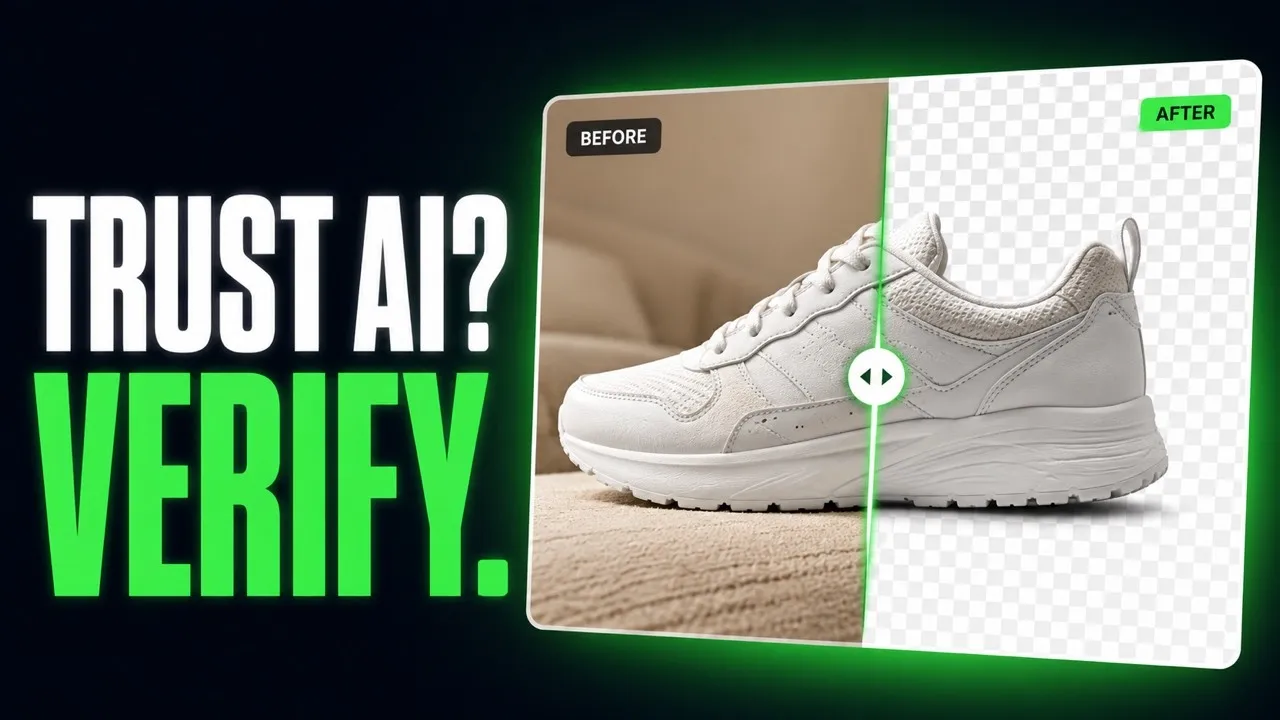
От фалшив PNG до истинска прозрачност, направо от AwaCut
Изображения, генерирани с AI, изрязани от приложението. Без ретуш.


Прозрачен фон от ChatGPT или Nano Banana: три съвета
Три неща, които решават колко чисто излиза изрязването на AI изображение.
Поискайте обикновен фон
Поискайте в промпта обекта на обикновен, едноцветен фон. Ясният ръб между обекта и фона дава най-чистото изрязване.
Разпознайте фалшивия PNG: нарисуваната шахматна дъска
Отворете файла на тъмен фон в който и да е редактор. Ако сивите и белите квадратчета още са там, те са нарисувани в пикселите. Пуснете го през AwaCut и обектът излиза на истинска прозрачност.
Увеличете преди да изрязвате
AwaCut запазва размера, който получава: изображение от 1024 пиксела излиза с 1024 пиксела. За печат първо увеличете, после изрязвайте, за да се изчисли ръбът в крайния размер.
Защо да не поискате прозрачност от генератора?
Някои генератори могат да експортират прозрачност, много други още рисуват шахматна дъска, и това се сменя с всяка актуализация. AwaCut е една постоянна стъпка след всеки генератор: цяла папка наведнъж, без интернет, колкото изображения искате, през цялата година, за 29 USD на година.
Или купете сега: 29 USD/година
2 компютъра на лиценз. Пълно връщане на парите до 14 дни, без да посочвате причина.
Въпроси за AI изображения и прозрачност
За фалшиви PNG, генератори, размер за печат и цената. Не намирате отговор? Пишете на contact@aya.software, отговаря човек.
Защо прозрачността от AI генераторите изглежда фалшива?
Често защото наистина е фалшива: много генератори рисуват шахматната дъска в пикселите, вместо да запишат истински алфа канал. AwaCut пуска модел за сегментация върху изображението и експортира PNG с истинска прозрачност, който работи във всеки редактор.
С кои AI генератори работи?
С всеки, който записва PNG, JPG или WebP: ChatGPT, Gemini, Midjourney, Firefly, Stable Diffusion или друг. Сложете ги в една папка и те минават в една обработка.
Ще запази ли фини детайли като косата в AI портретите?
Косата и фините ръбове са точно това, за което е създаден моделът. Пробвайте най-детайлния си портрет в безплатния пробен период и преценете ръба с Преди и След.
Мога ли да продавам дизайни, направени от изрязванията?
AwaCut не добавя воден знак и свои ограничения: експортираните файлове са ваши и можете да ги ползвате търговски. Какво можете да правите със самото генерирано изображение, решават условията на генератора.
Ще се отпечатат ли AI изображенията ми рязко?
Изрязването запазва размера на изображението, което получава, нищо не се смалява. Генераторите често дават малки файлове, затова за печат първо увеличете, после изрязвайте.
Качват ли се изображенията ми или се използват за обучение на AI?
Не. Премахването на фона става на вашия компютър, без интернет. Изображенията никога не се качват, никога не се използват за обучение на AI и няма акаунт.
Колко изображения мога да обработя?
Колкото искате, през цялата година, за фиксирани 29 USD на година. Първите 10 са безплатни, в пълна резолюция и без воден знак.
Работи ли на Windows и Mac?
Да. AwaCut работи на macOS 13.4 или по-нов (Apple silicon), Windows 10 или 11 (64-bit) и Linux, а един лиценз покрива 2 компютъра. Премахването на фона става на самия компютър, така че работи и без интернет.
Опитайте върху собствените си снимки
Изтеглете AwaCut и изрежете 10 снимки безплатно. Без акаунт, без карта, без воден знак. Сравнете изрязванията сами.
macOS
macOS 13.4+ (Apple silicon)
v1.0.6 · 194 MB
macOSПрограма за премахване на фон за MacWindows
Windows 10 or 11 (64-bit)
v1.0.6 · 180 MB
WindowsПрограма за премахване на фон за WindowsLinux
AppImage (x86-64)
v1.0.6 · 268 MB
LinuxПрограма за премахване на фон за Linux
Подписан от AYA MIM S.R.L. Ако Windows все още показва „Windows защити вашия компютър“, натиснете Повече информация, после Изпълни въпреки това.
Без акаунт в AwaCut. Без кредити. Без качване. 2 компютъра на лиценз, пълно връщане на парите до 14 дни.